Table of Contents
TL;DR
- A reusable prompt separates the structure (which stays the same) from the contents (which change per deliverable). Single-shot writers rebuild both every time and wonder why the output drifts.
- Six components belong in every reusable prompt — Role, Audience, Job, Voice, Context, Structure — plus two output anchors — Length and Output format. Each component answers a question the AI tool would otherwise guess at.
- Voice examples beat voice descriptions. The natural band is 5-15 examples for prompt-engineering use. For retrieval-augmented generation, 30-200 documents. The pass-rate target after voice prompting is 70-80 percent without major edits.
- A banned-phrase list outperforms a style description because the AI tool treats each banned phrase as a hard constraint. The AI-cliche set is the starting kit, with the canonical cluster Nielsen Norman writers documented as marketing-press boilerplate.
- The humanize-vs-reprompt diagnostic takes one minute. Reverse-outline the AI draft, read it as an argument arc. If the arc holds, humanize. If the arc does not hold, re-prompt with a tighter brief.
Most prompt-engineering content quotes the same number. Five to fifteen examples in the prompt, thirty to two hundred documents in the retrieval layer.
The number tells the writer something specific. A reusable ChatGPT prompt is not a clever sentence. It is a small library of structured instruction the writer assembles once and then refills with bespoke contents per deliverable. The single-shot writer types a fresh paragraph into the chat every time and wonders why the AI tool keeps producing copy that drifts.
This piece is about the small library. The structure stays the same across landing pages, emails, blog posts, product descriptions. The contents change.
The writer who keeps the two layers separate stops rewriting the prompt every time. That is the entire game.
Why does the same ChatGPT prompt work once and fail the week after?
A prompt that worked once often fails the second time. The writer pasted the brief into the chat without separating the reusable structure from the bespoke contents.
Reusable means the structure stays the same across deliverables. The role, the audience, the voice, the format — those move slowly. Bespoke means the contents change per deliverable. The specific reader, the specific job, the specific proof material — those change every time.
The single-shot writer rebuilds both every time. The reusable-prompt writer keeps the structure stable, swaps only the fields that change, and gets predictable output without retyping the prompt from scratch.
The discipline is operational, not creative. The same writer with the same craft can ship copy faster simply by stopping the daily prompt rebuild and starting a small structured library.
What is the difference between a prompt and a brief, in plain language?
A prompt is the instruction the AI tool sees. A brief is the strategic document that produced the instruction. In 2026 the two collapse into each other.
Generic briefs produce generic AI drafts. Specific briefs produce specific AI drafts. The brief IS the prompt. The writer accepts that the AI tool reads whatever the writer hands it and treats that text as the entire instruction.
Three converging frameworks name the same underlying discipline. Andy Palmer’s six-component prompt. Everworker’s CARE structure — Context, Ask, Rules, Examples.
Da Silva’s CART structure — Context, Action, Result, Tone. The frameworks differ on labels. They agree on what they ask the writer to encode.
A reusable prompt is the discipline made portable. The writer encodes the brief once, fills the bespoke fields per deliverable, and stops re-deriving the structure on each run.
For the upstream brief discipline, see how to write a brief for ChatGPT. The prompt template carries the brief into the chat without losing the components on the way.
Which six components belong in every reusable prompt?
Six components stay constant across deliverables. Each one answers a question the AI tool will otherwise guess at.
Role names the persona the AI tool writes from. A specific role ("a senior copywriter for a bootstrapped SaaS targeting indie developers") produces specific copy. A generic role ("a marketing expert") produces generic copy. Per the cmswire February 2026 customer-experience piece, specific copy reads as authentic where generic phrasing averages into the category.
Audience names the reader. The specific buyer the offer was built for, in the buyer’s actual situation, in the buyer’s actual language. The audience field carries the customer’s words, not the marketer’s.
Job names the action the copy must produce. Not "write a landing page" but "write a landing page that gets a freelance designer to book a 20-minute consultation about logo work."
Voice names the sentence-level patterns the copy must carry. Not "professional yet friendly" — a paragraph of the writer’s own published prose plus a list of banned phrases.
Context names the customer language, competitor descriptions, and proof material the AI tool draws from. The context field is the difference between a draft that pulls from training data and a draft that pulls from the brand’s actual material.
Structure names the framework or custom shape the copy follows. PAS, BAB, problem-solution-proof, or a custom outline. The structure is what keeps the AI tool from drifting into a different form mid-draft.
Two more components anchor the output itself. Length names the word ceiling. Output format names the markup the AI tool must return.
Both are small. Both are skipped most often.
Why do voice examples beat voice descriptions in a reusable prompt?
A voice description tells the AI tool "professional yet friendly." A voice example shows the AI tool a paragraph the writer actually published.
Description compresses a voice into adjectives the AI tool has read ten million times. The description collapses to corporate-speak the moment the AI tool starts drafting. Examples carry sentence-construction patterns the AI tool can imitate at the sentence level.
Justin Blackman calls these patterns voice tells — the writer’s fingerprints. The AI tool cannot copy the fingerprints from a description — it can copy them from a few hundred words of actual prose.
Calibration matters. The natural band for prompt-engineering use is five to fifteen examples. The writer pastes voice samples directly into the prompt window.
The natural band for retrieval-augmented generation is thirty to two hundred documents. A separate retrieval system feeds matched samples into the prompt as the AI tool drafts.
Persona references help for voice but not for facts. Use the persona for the writing register. Keep statistics outside the persona frame because personas hallucinate numbers. The split sounds technical.
In practice the writer keeps two slots separate. A voice slot with examples, and a facts slot with verified claims. The AI tool stops blending them.
How do you maintain a banned-phrase list that does not bloat?
A banned-phrase list outperforms a style description because the AI tool reads each banned phrase as a hard constraint rather than a soft preference.
The list starts with the AI-cliche set. The cluster of overused press-release verbs the engines default to producing. "Unleash." "Supercharge." "Next-level." "Seamless." "High-quality." "Synergy." "We are excited to announce." Plus the surrounding stock language of corporate boilerplate.
These phrases were generic before AI. The engines just produce them at higher rate because the phrases dominate their training data.
The list grows brand-specific over time. Editorial review catches recurring drift — a phrase the writer never uses that keeps surfacing in AI drafts. The phrase joins the banned list.
The next prompt produces fewer instances. The cycle compounds.
Cap the list around 30 entries before pruning. Larger lists confuse the AI tool and slow the draft without improving quality. The discipline is the editor’s, not the writer’s.
The writer drafts. The editor watches the revision rate. The banned list grows or shrinks based on what the editor actually rewrites.
When should you humanize the draft and when should you re-prompt?
Humanize when the structure works but voice has drifted. When short-form needs tightening. When specific phrases need replacement.
Re-prompt when the underlying instruction was too thin. When output keeps converging on the same derivative shape across attempts. When claims that should appear are missing because the prompt did not provide them. When the tone landed at the wrong altitude.
The diagnostic takes one minute. Reverse-outline the AI draft — write down what each paragraph claims in five words. Read the outline as an argument arc.
If the arc holds and only the prose is off, humanize. If the arc does not hold, re-prompt with a tighter brief.
The diagnostic is the cheapest test in AI-augmented copywriting. The writers who skip it spend hours editing drafts that needed a different prompt. The writers who run it stop iterating on the wrong layer. For the broader humanize-or-reprompt diagnostic as its own pillar, see humanize or reprompt: a calm diagnostic for AI drafts.
What does a working 2026 reusable prompt template look like?
A working template carries placeholders for the six components plus the two output anchors. The placeholders stay constant — the contents change per deliverable.
ROLE: {{persona}}
AUDIENCE: {{ICP description plus buyer language}}
JOB: {{specific action the copy must produce}}
VOICE EXAMPLES: {{3-5 paragraphs of the brand's published prose}}
BANNED PHRASES: {{the AI-cliche set plus brand-specific bans}}
CONTEXT: {{customer-interview quotes, competitor descriptions, proof material}}
STRUCTURE: {{named framework or custom outline}}
LENGTH: {{word ceiling}}
OUTPUT FORMAT: {{markdown / plain text / HTML, with section markers}}
The placeholders are the structure. The contents are the brief made portable. A landing-page deliverable fills the placeholders with landing-page content. An email deliverable fills the same placeholders with email content.
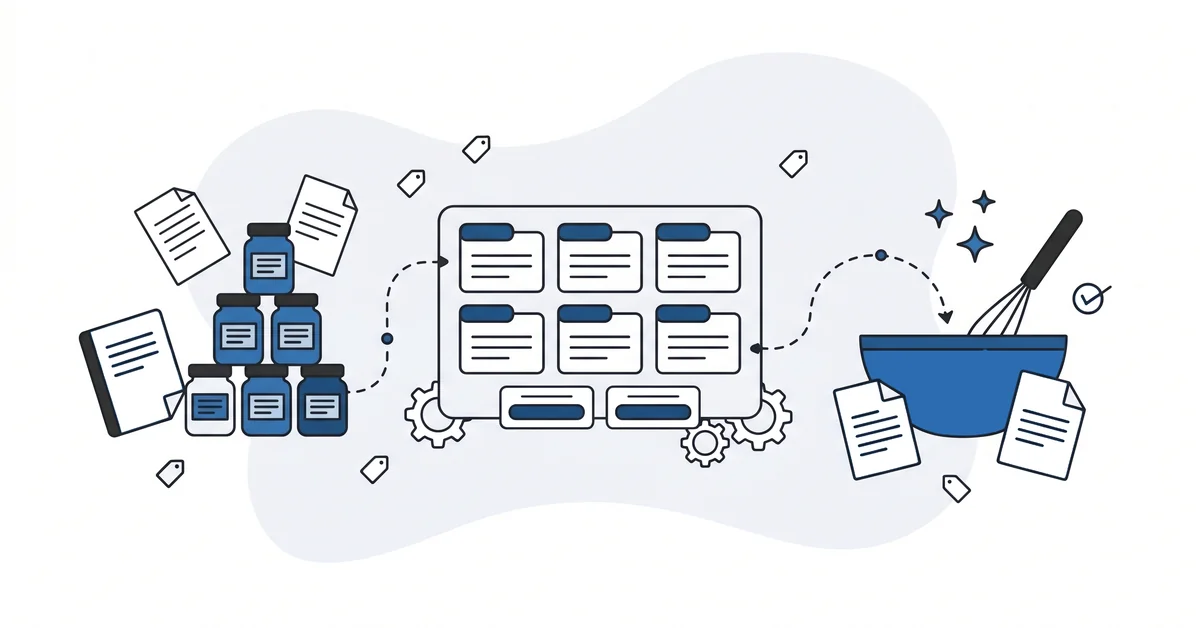
The template is the recipe. The contents are the ingredients. The cook stops re-deriving the format every time.
The honest limit. AI tools deliver drafts at 70-80 percent quality. The last 20-30 percent is taste. What to keep, what to cut, where to add a specific detail, where to break the rhythm.
A reusable prompt does not eliminate taste. It frees the writer to spend the saved time on it.
Other questions worth answering
How much of the copywriting workflow does AI actually take off your plate?
Roughly 60 to 70 percent of raw drafting, per the Da Silva framing in 2026 AI-era copywriting practitioner thinking. The remaining 30 to 40 percent stays with the human: customer interviews, editorial judgment, lived-experience detail, taste. A reusable prompt accelerates the middle of the workflow. It does not shrink the strategy work at the ends.
Which new directions open up for the freelance copywriter when AI handles most of the initial cut?
Three roles surface in 2026 practitioner thinking led by Da Silva and the Nest Content cohort. The strategist shift moves the writer up into positioning and voice work the engines cannot do.
The editor shift turns the writer into a brief-writer and AI-output editor. The volume shift ships three to five times more pieces with light editing.
Most writers blend two of the three.
When does a single editor stop being able to hold consistency across AI-augmented production?
Around 50 pieces per month across four channels is the AirOps 2026 threshold cited in the KB substrate. Below that, one editor plus a voice document plus prompt-anchored examples carries the load. Above 50, voice drift compounds faster than human review catches it. The next move is a retrieval layer holding 30 to 200 voice documents, plus a classifier that flags drift before publication.
How does the way you frame an AI instruction affect whether engines cite the finished page?
Two signals connect them, indirectly. AirOps’s 2026 AEO guidance reports about 83 percent of AI citations come from pages updated within the past 12 months. Other 2026 KB sources add that consistent named entities across drafts help AI engines recognize a brand. A reusable prompt encodes both moves at draft time – specific outcomes over generic adjectives, named sources over vague hedges.
What should you build into your prompt library first?
Start with one prompt for the deliverable the writer ships most often. Pick the deliverable that gets rewritten the most, not the one that feels most strategic. The high-frequency deliverable is where reusability pays for itself fastest.
Encode the six components plus the two output anchors. Run the template on three back-to-back drafts.
Track the editorial revision rate. Where the editor rewrites the same kind of issue repeatedly, the prompt needs another component or a tighter banned-phrase list. The signal is mechanical. Not "did this draft feel right" but "where did the editor’s pen keep landing." That is the data the prompt library is built from.
The discipline compounds. A prompt that lifts attempt one from 60 to 80 percent quality is doing real work. The freed time is taste-time.
Two months in, the library has five prompts. Six months in, the library has fifteen. The writer’s hourly rate stayed the same and the writer’s output doubled.
If you have a prompt that produces drafts you keep rewriting in the same places, you can contact me here. Send me the current prompt and one sample output. I will identify which of the six components is missing and rewrite the prompt around the gap. There is no charge and no follow-up sales call.