Table of Contents
TL;DR
- AI crawlers can fail to reach a site for four separate reasons, and robots.txt is the last door in that sequence, not the first.
- Cloudflare’s one-click "AI Scrapers and Crawlers" toggle is the most common invisible block — it fires at the CDN edge before any server-side rule runs.
- The Cloudflare toggle is indiscriminate, so blocking GPTBot also blocks OAI-SearchBot and Claude-SearchBot, which fetch content in real time for user queries.
- WordPress’s "Discourage search engines" checkbox left on from staging zeroes visibility in one click. The llms.txt file is a five-minute exercise with no confirmed ranking impact.
- Check the four doors in order — Cloudflare bot toggle, host WAF, security plugin, robots.txt — then ask ChatGPT to summarize one page to confirm access.
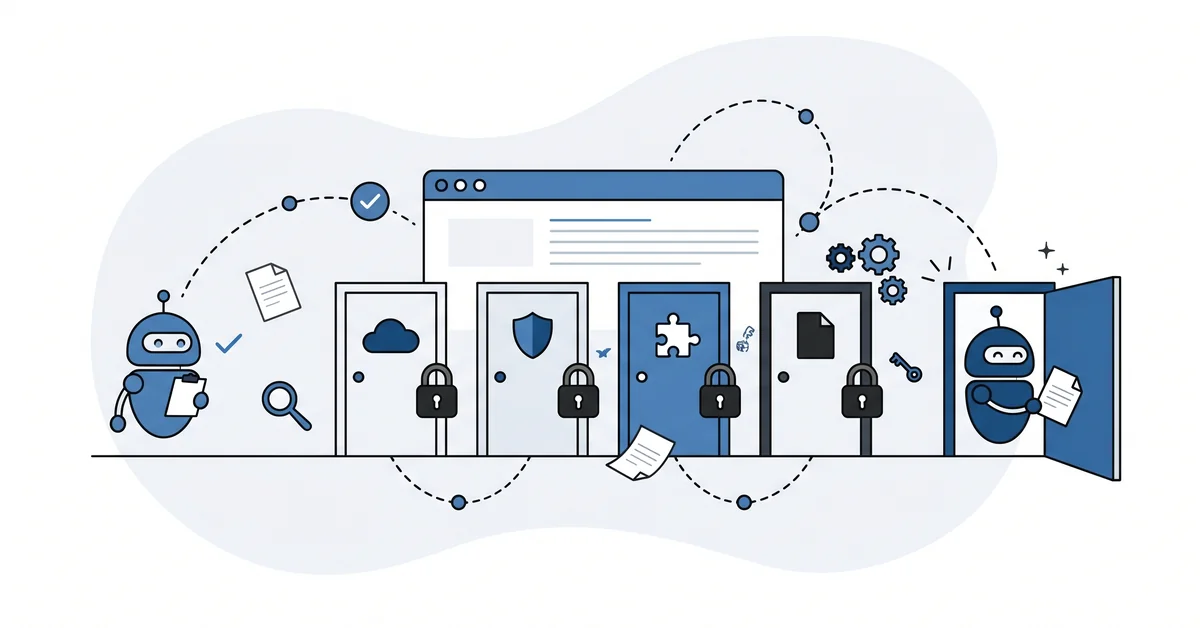
Imagine a house with four doors.
The front door is painted, welcoming, and has a sign that says "please come in." Anyone who reads that sign assumes they can walk through.
But the house has three other doors, each with its own separate lock. A side door. A back door. A service entrance.
Most guests arrive at the front door and get in. A few arrive at the side. A few at the back. If any of those other doors are locked, those visitors never make it inside, and you never know they came.
AI crawlers are visitors. Your site has four doors. Most advice about AI visibility only talks about one of them.
Why would an AI crawler fail to reach my site?
Because most sites have more than one locked door between the public internet and the content.
A small business usually checks robots.txt, sees nothing wrong, and stops. But robots.txt is the last door in the sequence, not the first.
Before an AI crawler ever reads it, the request has already passed through at least three other gates.
Any one of them can block the bot silently. You will not get a warning. And the rendering version of the same problem — covered in AI crawlers skip JavaScript websites — hides outside the four doors entirely.
What are the four doors, actually?
Four places a block can live.
Door one: your CDN or Cloudflare settings. These filter requests before they ever reach your server.
Door two: your host’s firewall or web application firewall. Many managed hosts ship with rules that block automated traffic by default.
Door three: your security plugin — Wordfence, Sucuri, the usual ones. These can rate-limit unfamiliar user agents or block them outright.
Door four: robots.txt. The file most guides treat as the only door.
Check all four, in that order.
What is the most common invisible block?
Cloudflare’s one-click AI bot toggle.
It lives under Security, then Bots. The label is AI Scrapers and Crawlers. When someone enables it, Cloudflare blocks the verified AI crawlers at the edge. That happens before any of your server-side rules run.
Many site owners enabled it once in 2024 and forgot about it. The toggle is still on. The site is still invisible to ChatGPT. The owner is still wondering why.
The block works. The owner does not know it is working. That is the worst version of this problem.
Does the Cloudflare toggle block both training bots and search bots?
Yes, and this is the trap.
The toggle is indiscriminate. It blocks GPTBot and ClaudeBot, which train AI models. It also blocks OAI-SearchBot, ChatGPT-User, and Claude-SearchBot, which fetch your content in real time when a user asks a question.
Blocking the training bots is a values choice. Some businesses prefer not to have their content feed AI model training without attribution.
But that choice deserves a clear head, not a reflex. There are real reasons to open the door and real reasons to keep it shut. If you are unsure whether to allow training crawlers like GPTBot, walk through the trade-off before you flip any switch. Decide on purpose, not by accident.
Blocking the search bots at the same time is an own-goal.
The toggle does not let you choose. You get both, or you get neither.
How do I check each of the four doors?
Door one: open Cloudflare, go to Security then Bots, and see whether "AI Scrapers and Crawlers" is on. Turn it off unless you have a specific reason to keep it.
Door two: check your host’s control panel for bot-management or WAF rules. Ask support if you are unsure what is enabled.
Door three: open your security plugin and look for bot rate-limiting settings. Most let you add AI user agents to an allow-list.
Door four: view robots.txt by adding /robots.txt to your domain in a browser.
The whole pass takes under an hour.
What is the "Discourage search engines" trap?
A WordPress setting in Settings, then Reading.
A checkbox labelled "Discourage search engines from indexing this site." It adds a blanket Disallow to your robots.txt.
Many sites turn it on during staging and forget to turn it off at launch.
One checkbox. Zero visibility.
It is worth opening that page right now and confirming the box is unchecked.
What about llms.txt — should I care?
Briefly.
The llms.txt file is an emerging standard placed at /llms.txt that describes your site to AI crawlers. The idea is that an AI engine can read it to understand what your site is about and which pages matter most.
No major AI vendor has publicly confirmed using it as a ranking signal. Only about seven percent of Fortune 500 sites have published one as of this spring.
The honest framing is: it takes five minutes, it costs nothing, it may matter later.
Add one if you like. Do not expect it to fix the other four doors.
How do I actually test that an AI crawler can reach my content?
The simplest test is to ask the AI directly.
Open ChatGPT, paste your URL, and ask it to summarize the page.
If it refuses or says it cannot reach the URL, you have a block. Same thing if it describes an entirely different page than the one at that address. One of the four doors is locked.
Repeat with Claude. Repeat with Perplexity.
Three engines, three checks. Server-log inspection is more thorough. For a small site, the three-engine test catches the most common problems in about ten minutes.
Other questions worth answering
How long after I clear the locks does ChatGPT start citing my pages?
Short answer: between hours and a week. ChatGPT may re-index a page within days once its retrieval agent succeeds.
Long answer: the Cloudflare Community thread from January 2026 shows the edge can still refuse requests even after the rule is disabled. If nothing has changed after seven days, one of the other locks is still shut.
Why does Perplexity’s agent appear in my logs when my rules file forbids it?
Because Perplexity’s retrieval agent treats rule-file directives less strictly than Anthropic’s named agents do. PerplexityBot nominally obeys the rules file. Perplexity-User generally does not.
The Cloudflare Community thread from January 2026 confirms retrieval agents often get refused at the edge even when the rules file would allow them. The reverse can also happen at the source.
Will the retrieval agents I let in eat into my hosting bandwidth?
Probably not. Per the Nytro SEO 2026 guide, verified retrieval agents like OAI-SearchBot and PerplexityBot are relatively well-behaved at the edge. Most small businesses see modest hit rates.
No public dataset measures bandwidth consumption per agent across thousands of small-business pages. If your hosting plan is tight, watch your logs for the first month after opening the locks.
Why does turning the managed rule off still refuse retrieval agents sometimes?
Because Cloudflare appears to cache edge rules across its network. The Cloudflare Community thread from January 2026 documents the pattern. Site owners disabled the managed rule and still saw ClaudeBot getting refused at the edge for days.
Once the network has cached a refusal pattern, it can take time before the new permission propagates. Treat the toggle as the start of a wait, not an instant fix.
How should you unblock the AI crawlers on your site?
Open Cloudflare first.
Check the AI-bot toggle under Security then Bots. Turn it off if it was on.
Open your WordPress Reading settings and confirm the discourage-search-engines box is unchecked.
Open your security plugin and add an allow-list entry for the main AI user agents — GPTBot, ClaudeBot, OAI-SearchBot, PerplexityBot.
Then ask ChatGPT to summarize one of your pages.
If it can, you have closed the most common four doors. If not, the host firewall is the next place to look. With the four doors clear, how AI engines find content is the next thing worth understanding.
The front door was never the problem. It was the three other doors nobody told you about.
If you want a second pair of eyes on which of your four doors is actually blocking the bots, you can contact me. I will walk through each one with you and say which is likely the culprit. No pitch, no sign-up, no sales.