TL;DR
- There are four cells in the test matrix every custom WordPress REST API route should survive: anonymous, subscriber, editor, administrator. Most plugins skip the matrix entirely. The plugin author tests with the admin account and ships with one of the other three contexts broken.
- An AI-drafted permission_callback comes packaged with the args validation block and the response shape definition. The chat reads three things — the route’s purpose, the data sensitivity, and the user roles allowed to read or write. The chat returns the permission_callback, the args block with validate_callback and sanitize_callback, the response shape with JSON-Schema constraints, and the four test cases together.
- Five-step setup. State the route’s purpose with a candidate path. Name the data sensitivity (public, authenticated, sensitive). List the roles allowed to read and write. Ask for the four artifacts together. Run curl as anonymous, subscriber, editor, and administrator and check each role’s response matches the expected outcome.
- The WordPress 5.5 _doing_it_wrong notice catches the missing permission_callback. The notice does not catch three silent patterns. The callback returns true unconditionally. The callback checks the wrong capability (edit_posts when manage_options was meant). The callback compares a user-supplied ID to itself.
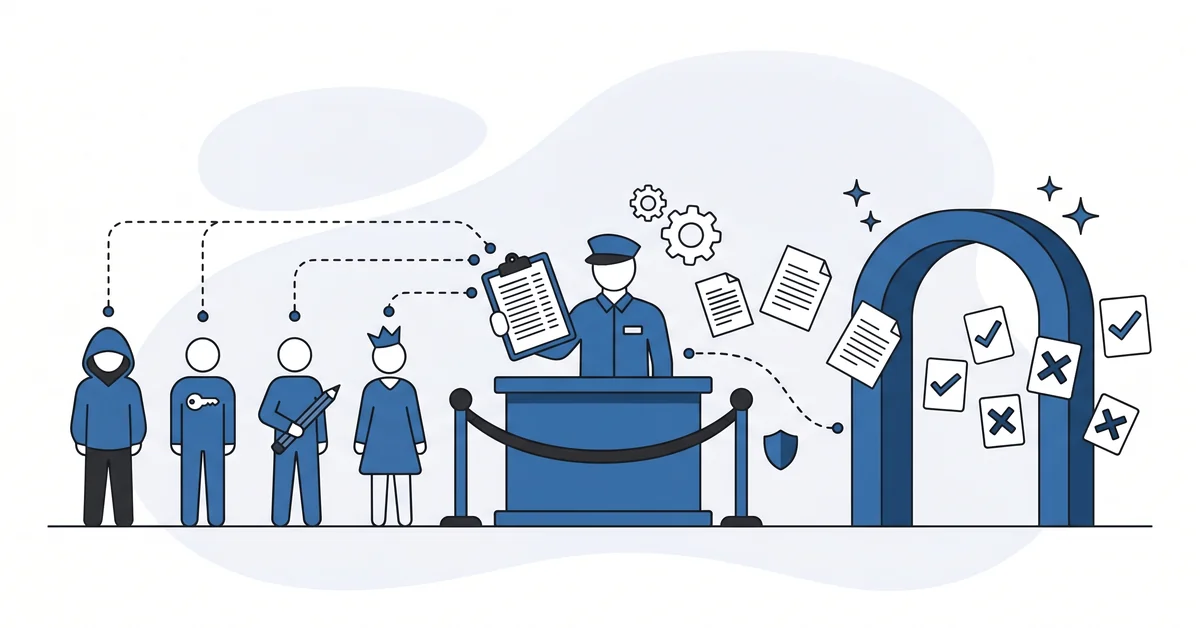
- The bouncer with the guest list, not the bouncer who checks vibes. A defensible REST route lists the roles allowed through, denies the rest by default, and runs the four-role curl matrix before the route ships to production.
There are four cells in the test matrix every custom WordPress REST API route should survive: anonymous, subscriber, editor, administrator.
Most plugins skip the matrix entirely. The plugin author writes the route, attaches permission_callback, and tests with their admin account. Anonymous, subscriber, and editor contexts go untested.
The result lives in the public CVE database. WordPress 5.5 added a _doing_it_wrong notice for routes missing a permission_callback. The notice does not fire when the callback returns true, checks the wrong capability, or compares a user-supplied ID to itself.
This piece is about the AI chat that drafts the four-role test matrix and the matching permission_callback together. The chat reads three things: the route’s purpose, the data’s sensitivity, and the user roles allowed to read or write. The chat returns the permission_callback, the args validation block, the response shape definition, and the four test cases.
Why does a custom REST route leak data the plugin author didn’t intend?
A registered route is a public entry point.
The moment you call register_rest_route(), the WordPress REST API exposes the path at /wp-json/<vendor>/<version>/<route>. Anonymous HTTP requests can reach it. The permission_callback parameter is the only check between the anonymous request and your callback function. The WordPress security audit walkthrough treats route-level checks as one slice of the broader site hardening pass.
Three patterns produce disclosure. The plugin author forgets the permission_callback entirely. The plugin author writes one that returns true unconditionally as a development placeholder, then ships before replacing it. The plugin author writes one that checks the wrong capability, like edit_posts when manage_options was meant.
WordPress 5.5 added a _doing_it_wrong notice for the first pattern. The other two patterns are silent. The route ships with what looks like a permission check and isn’t.
What does an AI-drafted permission_callback look like?
Three artifacts together. The chat returns the permission_callback, the args validation block, and the response shape definition as one unit.
The permission_callback determines who can call the route. Anonymous read on a public listing endpoint uses __return_true. Authenticated read uses is_user_logged_in.
Author-level write uses current_user_can('edit_posts'). Admin-only operations use current_user_can('manage_options'). Custom logic receives the request object and decides per-route.
The args block validates each parameter before the main callback runs. Each parameter declares type, validate_callback, sanitize_callback, required, and default. The type field accepts string, integer, boolean, array, or object.
The response shape definition names what the route returns or accepts. Validate first via rest_validate_value_from_schema, then sanitize via rest_sanitize_value_from_schema. The shape constrains the structure even when args validation does not.
The chat returns all three together because they reinforce each other. The permission_callback gates entry. The args block validates input. The response shape constrains output.
Skipping any one leaves a hole the next layer cannot close.
How do you set up the prompt for a clean permissions pass?
Five steps. None of them needs more than fifteen minutes.
Step 1 — state the route’s purpose. One sentence. The reader of the runbook should know what the endpoint does. List a candidate path like /wp-json/myplugin/v1/projects.
Step 2 — name the data sensitivity. Three categories. Public data anyone can read, authenticated data only logged-in users can access, and sensitive data only specific roles can touch.
Step 3 — list the roles allowed to read and write. Anonymous, subscriber, contributor, author, editor, administrator. State which roles can read, which can write, and which are explicitly denied. The chat will draft the permission_callback to match.
Step 4 — ask for the four artifacts together. One prompt. The permission_callback. The args block with validate_callback and sanitize_callback for each parameter.
The response shape with type, format, pattern, minimum, maximum, and enum constraints. The four test cases for anonymous, subscriber, editor, and administrator.
Step 5 — run the four test cases. curl the endpoint as anonymous first, then with a subscriber cookie, then editor, then admin. Each request should match the role’s expected outcome — 200 with payload, 200 with limited payload, 403 forbidden, or 401 with login redirect.
curl -X GET 'https://example.com/wp-json/myplugin/v1/projects'
curl -b 'subscriber.cookie' 'https://example.com/wp-json/myplugin/v1/projects'
curl -b 'editor.cookie' 'https://example.com/wp-json/myplugin/v1/projects'
curl -b 'admin.cookie' 'https://example.com/wp-json/myplugin/v1/projects'
About thirty minutes per route if the role list is short. Longer for routes with custom user-meta-driven access logic.
When does the AI draft not catch the real permission bug?
When the system guard does not cover the failure mode.
WordPress 5.5 added a _doing_it_wrong notice when register_rest_route is called without a permission_callback. The notice fires once per missing callback per request. Plugin authors saw the notice. The pattern of completely missing callback dropped.
Three patterns the notice does not catch remain in the wild.
The callback returns true unconditionally. Often the author wrote permission_callback => '__return_true' as a development placeholder and forgot to replace it before ship.
The callback checks the wrong capability. The route should require manage_options because it changes site-wide settings. The chat suggests edit_posts because the documented example used edit_posts. The capability check passes for any author.
The callback compares a user-supplied ID to itself. The route accepts a user_id parameter. The callback runs current_user_can('edit_user', $request['user_id']). Any logged-in user can edit any other user by passing the target user’s ID.
The chat will write the callback that satisfies the system guard. The chat may not write the callback that satisfies the real permission policy. Reading the four test cases is the test.
The same caution scales up when one network runs dozens of sites. A single route is one decision, but a whole network is hundreds of them, written once and enforced everywhere. Drafting a multisite governance policy with an AI assistant follows the same rule. The assistant writes the draft, and you read every line before it ships.
What can go wrong with this approach?
Three traps catch developers who already know REST API permissions.
Trap 1 — copying the capability from the wrong documented example. The chat suggests current_user_can('manage_options') for admin endpoints and current_user_can('edit_posts') for author endpoints. Both are correct in their documented examples. The chat may copy the wrong one for your specific route.
Trap 2 — skipping the subscriber test case. Anonymous and admin look like the visible cases. Subscriber is the case where most disclosure CVEs land. A subscriber-tier user is logged in, holds a cookie, and passes is_user_logged_in unconditionally.
Trap 3 — args-and-shape drift. Three artifacts must agree. The chat may write a permission_callback and args block that look correct, but the response shape allows fields args sanitizes away. Run rest_validate_value_from_schema and rest_sanitize_value_from_schema in sequence on a sample request and check the output matches the shape.
Why is the REST permission policy a four-cell decision rather than a binary one?
The REST route’s permission policy is a four-cell decision, not a binary one.
Anonymous, subscriber, editor, administrator. Each cell has its own answer to "should this role be allowed through?" The plugin author who tests with admin only sees one cell. The CVE database fills with the other three.
A defensible WordPress REST route writes the four cells before the route ships. The permission_callback matches the cells. The args and response shape match the data the cells return. The curl tests confirm the four cells behave as the plugin author expected.
The bouncer reads the guest list before the route opens, not after the disclosure shows up in the security inbox.
Other questions worth answering
How does cookie authentication differ from Application Passwords on external services?
Two surfaces, two answers. Cookie auth runs the dashboard. The browser sends the WordPress login cookie with each request, and the X-WP-Nonce header confirms intent.
Application Passwords run scripts. The script sends Basic Auth credentials with each HTTPS request, and the WordPress REST API matches the per-user token.
Why does WordPress 5.6 recommend Application Passwords over the deprecated Basic Auth helper?
Because Basic Auth sends the user’s real WordPress password with every HTTPS request. The deprecated Basic Auth helper was a development tool. Application Passwords arrived with WordPress 5.6 around 2020 and replaced the helper for production use.
Each Application Password is a per-user token. The site can revoke a single token without touching the user’s primary password.
Where do OAuth or JWT integrations fit alongside built-in authentication options?
Three boundaries to remember. OAuth suits multi-tenant SaaS integrations where each end-user grants scoped access. JWT suits stateless mobile clients that hold short-lived tokens. Cookie sessions and Application Passwords cover the in-dashboard and script-to-WP cases.
The WordPress REST API handbook treats OAuth and JWT as third-party territory.
When should X-WP-Nonce headers be used instead of the _wpnonce parameter?
Two contexts call for the header. The WordPress REST API handbook names X-WP-Nonce as the most reliable transport for the nonce.
The _wpnonce query parameter still works for cookie-authenticated GET requests. The header form survives proxies and rewriters that strip query strings. JavaScript clients should attach X-WP-Nonce on every state-changing verb.
Who should be allowed through this route?
Roles, not vibes.
The bouncer with the guest list lets through every name on the list and refuses every name not on it. The bouncer who checks vibes lets through whoever looks right. Disclosure follows the second pattern.
Pick the route. List the roles allowed to read. List the roles allowed to write.
Deny the rest by default. Run the four-role curl matrix before the route ships.
About thirty minutes per route if the role list is short. An hour for routes with custom user-meta-driven access logic.
This piece pairs with the AI plugin code review post. The AI plugin code review covers the trust-by-source question for plugins you did not write. This REST permission pass covers the trust-by-permission-policy question for the routes you do write. Together they cover the two halves of the headless-WordPress disclosure surface.
If you want a calm second opinion on your first AI-drafted permission_callback before the route ships to production, you can contact me here. Send me the route’s purpose, the role list, and the chat’s draft. I will read all three and tell you which test case to run first. There is no pitch, no upsell, and the conversation is free.