Table of Contents
TL;DR
- A WordPress theme controls how the site looks and how its templates are structured. Exactly one theme is active at a time, plus an optional child theme on top.
- The 2026 default themes shipping with WordPress core (Twenty Twenty-Two through Twenty Twenty-Six) are all block themes. Classic-theme support remains intact with no announced removal date.
- The six-signal check works for themes the same way it works for plugins — active install count, update cadence, code quality, theme.json presence, Page Speed baseline, author transparency.
- AI-generated themes pass surface-level review most of the time. The areas where AI generation lags are accessibility, semantic structure, and theme.json integration.
- The theme to install first is the WordPress default that shipped with your version. Run it for a week. If you still need a different look at the end of the week, that is the moment to walk through the six-signal check on a candidate.
Most WordPress theme advice tells you to pick the prettiest demo. The demo is the trap.
The demo is built with the demo content the theme author chose, in the demo configuration the theme author tuned. Your homepage will not have those photos, that headline, or that color story. The demo is a staged apartment in a listing photo. The lived-in apartment is the one you spend the next year inside.
A simple theme is not the one with the prettiest screenshots. It is the one that loads fast on a phone. The settings screen has fewer than ten options to fiddle with.
The theme gets out of the way of your content. Most small sites do not need a different look. They need a theme that does not break.
This post is about picking that theme on purpose.
Why does picking a WordPress theme feel harder than it should be?
The WordPress theme directory lists more than ten thousand free themes. Premium directories add a similar number on top. Most look fine in the demo. Most look different on your content.
The pretty-demo trap is the first reason picking a theme feels like a coin flip. The classic-versus-block-theme decision is the second. Abandoned themes that still rank in search results are the third.
A "best WordPress themes for small business" listicle written in 2022 still gets clicks in 2026. The themes it recommended may have shipped no updates since the listicle was written.
A small business owner I worked with last year had picked her theme from a 2021 listicle. The theme was three major WordPress versions old. The Site Editor did not work with it.
Half the page builder blocks she paid for did not render. She had spent four months trying to make it look right.
We replaced it with the WordPress default that shipped with her install. The site was up the same afternoon. The lesson was not that the listicle was wrong. It was that nobody had told her the listicle had a shelf life.
What does "simple" actually mean for a WordPress theme?
Six things.
The theme loads fast on a phone with no help from a caching plugin. The settings screen has fewer than ten options, not a hundred. The theme.json file is present and well-configured.
The author has shipped an update within the last ninety days. The accessibility statement exists and reads like the author has read it. The demo content is close to the type of content you actually plan to publish.
That is the working definition. None of the items reference how the theme looks. Looks are easy to change later, especially with a Site Editor that lets you swap colors and typography from the dashboard. The structural choices — speed, settings count, configuration cleanliness — are the ones that decide whether the site is pleasant to maintain.
A theme with a hundred settings is not "powerful." It is unfinished. The author shipped the configurability instead of making the design decisions for you. You will spend a weekend in the settings screen trying to find the option that controls the spacing under the H2.
A theme with ten settings has made the decisions on your behalf. The decisions are visible in the demo. If the demo is close enough, the theme is finished work.
Should you start with a classic theme or a block theme in 2026?
A block theme for a new site.
Twenty Twenty-Six and the other recent WordPress defaults are block themes. The Site Editor has matured into a tool a non-developer can actually use. The block-theme architecture has been WordPress’s declared direction since 2022, and the default themes shipping with WordPress core have been block themes since Twenty Twenty-Two.
A classic theme is still safe for an existing small site that has years of customizations on top of one. There is no announced removal date for classic-theme support in WordPress core. Suppose you have a classic theme that still ships updates and runs fast.
The migration to a block theme is not free, and the WordPress documentation is honest about that. Small sites with three years of classic-theme customizations cannot just switch.
The framing that helps most: new site, block theme. Existing site, classic theme is fine. The block-theme architecture is the future of WordPress.
Once the theme question is settled, the next one is whether to add a builder on top. The block editor handles more layouts than most people expect. Before you install a heavy tool, weigh using a page builder at all. Often the answer is no, and the site stays lighter for it.
The existing classic theme on the running site is the present of your site. Both are true.
The case where the decision matters most: you are launching a new site this week. Pick the WordPress default. The default theme is the lowest-friction starting point WordPress has ever shipped, and the default for 2026 is a block theme.
Why does theme.json matter for a small site, even if you never open it?
The theme.json file declares the theme’s design tokens. Colors, typography, spacing, layout constraints. The Site Editor reads it. The editor toolbar exposes the tokens to you as choices.
The practical effect for a non-technical owner: a single change in the editor ripples through the whole site instead of requiring a per-page edit. Change the body color in the Styles panel and every paragraph picks up the new color. Change the heading font and every H2 across forty pages updates at once.
The presence of a thoughtfully built theme.json is a strong signal of an author who understands the modern WordPress system. The absence — or a theme.json that declares three colors and stops — is a signal of a theme written for the old configurability-equals-quality template.
You never have to open the file. The theme uses it for you. The signal is whether the theme uses it well, and that signal is visible in the editor’s Styles panel within thirty seconds.
If the panel offers a coherent set of color, typography, and spacing tokens, the file underneath it is well-configured. If the panel is empty or shows random hex codes with no naming convention, the file is the minimum the author shipped. It is just enough to pass the directory review.
What should you check before installing any theme?
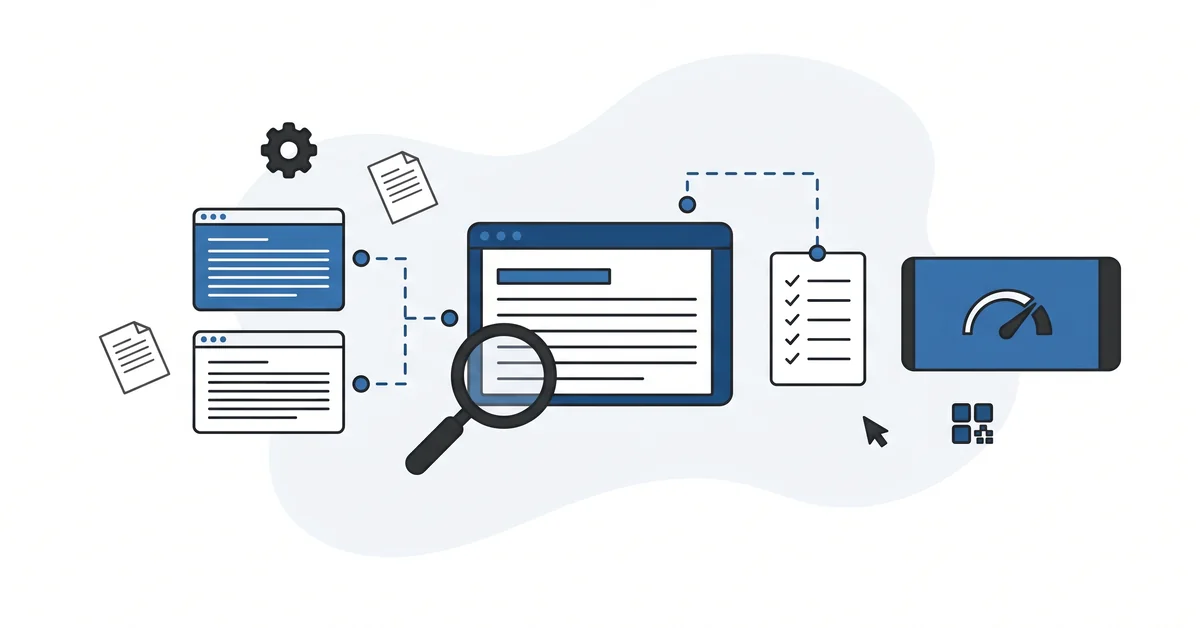
Six signals, the same shape as the public-record check you run on a WordPress plugin.
Active install count is the first. A theme with fifty installs and a single review is not a vetted choice. One with fifty thousand active installations and a six-year track record is.
Last update is the second. Ninety days is the comfortable window. A theme without a release in over a year is usually abandoned. The directory page shows the last-update date next to the version number — you do not have to dig.
Code quality is the third, and the directory does part of the work for you. The WordPress.org theme directory imposes a Theme Review process at submission that includes code-quality, accessibility, and licensing checks. The catch — updates after the initial review are not re-reviewed. A theme that passed review at submission can ship a sloppy update.
The theme.json presence and configuration is the fourth signal. Open the demo’s source and search for theme.json in the file list, or open the editor and check the Styles panel. A theme without a substantive theme.json is a theme written for the previous decade.
Page Speed Insights baseline is the fifth. Run the demo URL through the free Page Speed Insights tool. A theme that scores under seventy on mobile out of the box will be hard to fix with plugins.
Author transparency is the sixth. A named team, a support channel, a public update history. Anonymous one-product themes from a developer with no online presence are the same red flag they are in the plugin world.
Where do AI-generated themes fit, and where do they fail?
AI-generated themes pass surface-level review most of the time. The markup looks reasonable. The default colors look intentional. The block patterns render.
The areas where AI generation lags hardest are accessibility, semantic structure, and theme.json integration. Aria attributes are missing. Heading hierarchy skips levels because the AI did not know whether the templates would be used for posts, pages, or archive listings. The theme.json declares a handful of colors and stops, because the AI had no design system to declare from.
AI-assisted child-theme customization is a different story. Writing a small CSS override against an existing parent theme. Adding a custom block pattern.
Adjusting a single template. Those tasks work well with AI assistance at the practitioner level. The whole-theme prompt is the riskier path.
The pattern that catches most small-site owners: trying to use AI to fix theme problems they could not diagnose. The AI tooling will confidently suggest plugin-or-theme-incompatible changes. The site breaks in a way the owner cannot debug. The change came from a chat instead of from a developer who would have seen the conflict.
The disconfirming voice on AI evaluation applies to themes the same way it applies to plugins. Pattern-detection across recent reviews requires subjective human judgment. AI accelerates the read — you keep the judgment.
What goes wrong when you switch themes on a live site?
Six things, in roughly that order.
Menus stop appearing where they used to. Menu locations are tied to the theme. The new theme defines different ones, and the menus need to be re-assigned.
Widgets disappear. Classic themes use sidebars. The new theme may define different sidebars, fewer of them, or none at all.
Pages assigned to a custom template fall back to the default template. The "Contact" page that used a template-contact.php in the old theme silently renders as a regular page in the new one.
Color tokens shift. The blue you carefully chose in the prior theme’s Customizer is not the blue the new theme defines.
Block patterns saved with the prior theme reference design tokens that no longer exist. Block patterns inserted into posts may render with broken styling or disappear from the inserter entirely.
Plugins that worked correctly with the old theme’s hook ordering render incorrectly under the new one. Contact forms, e-commerce templates, and SEO plugins are the usual suspects.
The discipline is to stage the new theme on a copy of the site first, audit the differences, then switch on production. The full walkthrough lives in the theme-switch risk-audit guide. Most small-site owners do not stage first. They switch on production, hit one of the six things on the list, and spend a frustrating evening trying to remember which menu went where.
Other questions worth answering
How does choosing a page builder like Elementor or Divi compare to staying with the native editor?
Page builders like Elementor and Divi replace much of the theme’s role with their own template system. They give non-technical users richer visual editing than the Site Editor. The cost is real. They lock the site into the builder, and switching away later is expensive.
A block theme locks you into WordPress core itself, not into a vendor. For a new 2026 site, the WordPress-core path is the safer bet.
Which audit tells you whether a website template’s accessibility is real or just claimed?
Two cheap audits do most of the work. Run the demo URL through Google Lighthouse or the WAVE checker. Check that headings step in order, no skipped levels. Confirm color contrast meets the WCAG AA standard on body text.
Make sure interactive elements take keyboard focus. A 2026 design that scores poorly on these basics will keep scoring poorly. The accessibility statement is not evidence — the audit is.
How do you evaluate a premium template package bought from a marketplace like Envato or ThemeForest?
The six signals still apply, but the marketplace shifts where you read them. Active install count becomes total sales on the listing. Update cadence shows in the changelog tab. Code quality stays unknown until you read the files.
As of 2026, the marketplace review is much lighter than the WordPress.org directory’s. Author transparency matters more, not less. An anonymous high-grossing author with no support history is the loudest red flag.
What does it take to migrate from PHP templates to HTML templates?
Not a one-click switch. The discipline mirrors the theme-switching audit, plus a few extras for WordPress’s block-theme architecture. Templates need rebuilding as block templates. Custom post-type templates need block-theme equivalents.
As of 2026, Customizer settings carried by the classic theme do not transfer. The equivalents live in the Site Editor’s Styles panel. A staged copy is the only safe place to do the work. Plan a weekend, not an afternoon.
Which theme should you actually install first?
The WordPress default that shipped with the version your site is running. Twenty Twenty-Six for a 6.7 install today.
The default has the cleanest theme.json, the most-tested accessibility, the fastest mobile baseline, and the fewest knobs. It has been used by more sites than any premium theme will ever be used by. The surfaced bugs have been fixed.
The rough edges have been sanded down. The author is the WordPress core team, which is as transparent as theme authorship gets.
Run it for a week. Publish a few posts on it. Add your photos. See whether the demo’s design choices clash with your content or carry it.
If the default still feels right at the end of the week, you are done. Most small sites do not need a different look. They need a theme that does not break, and the default does not.
If you still want a different look at the end of the week, walk through the six-signal check on a candidate from the directory. That is the moment for the audit. Active installs, last update, code quality, theme.json presence, Page Speed baseline, author transparency.
Six signals, fifteen minutes. The check that prevents the four-month "make it look right" detour.
Want a calm second opinion before you commit, or help reading the theme’s public record? You can contact me here. Send me the theme name and the URL of its directory page.
I will tell you whether the six signals look healthy, and which of the six is the one to worry about first. There is no pitch, no upsell, and the conversation is free.