Table of Contents
TL;DR
- Clear messaging is recognition speed, not word count. The buyer sees their own situation in fewer than ten seconds, in the words they actually use about that situation.
- Diagnose the layer before the rewrite. A tactics problem fixes one section. A messaging problem rewrites the page in voice-of-customer language. A positioning problem fixes upstream of the page.
- The Wiebe and Havice four-part diagnostic catches confused messaging in three minutes — recognition in the headline, recognition in the value, objections addressed in order, CTA matched to readiness.
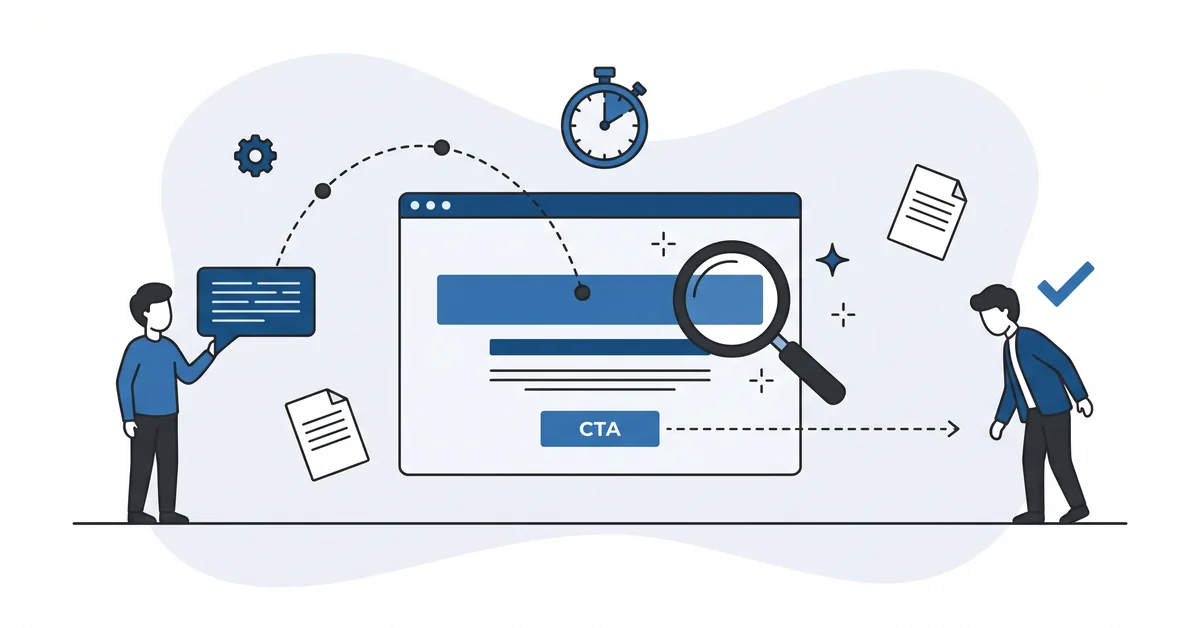
- The above-fold area answers three buyer questions — what is this, is this for me, what do I do next. Nielsen Norman Group research found 79 percent of readers scan, and the above-fold is what scanners see.
- Vague messaging is invisible on AI surfaces. ChatGPT, Claude, Perplexity, and Gemini compress generic phrasing into the category description and erase the brand from the recommendation.
Open your homepage in a new tab and read it the way a stranger would.
The eyes move across the screen the way Nielsen Norman Group described in their eye-tracking studies. F-pattern at the top. Spotted scan in the middle. A pause on whichever paragraph carries the answer to the question the stranger arrived with.
Most small-business homepages fail the stranger’s read in the first six seconds. The line above the fold describes the company in the company’s vocabulary. The buyer scanning the page reads adjectives instead of recognition. The page does not earn the seventh second.
Clear messaging is what closes that gap.
Why does most small-business homepage messaging confuse the buyer who lands on it?
A confused homepage is rarely confused on purpose. The owner wrote the words the owner uses inside the business. The company name, the technology stack, the founding year, the certifications, the partnership badges, the awards.
The buyer reading the page does not share that vocabulary. The buyer is scanning for the answer to one question. Is this a service that fits the situation I am in right now?
The page that answers an internal question instead of an external question reads as confusing.
The fix is reading the homepage from outside the business. Set the owner’s vocabulary aside. Keep the buyer’s actual words from interviews, reviews, and support transcripts open next to the screen.
What is "clear messaging," plainly, on a small-business homepage?
Clear messaging is the set of words on the page that lets a buyer recognise their own situation in fewer than ten seconds.
Three things have to land in that window. The buyer sees what the business does in plain language. The buyer sees that the business serves a buyer like them. The buyer sees the next action in a single specific verb.
Clarity is recognition speed, not word count. A long page with clear messaging reads as fast because every paragraph adds something the buyer can place. A short page with vague messaging reads as slow because the buyer does the missing translation work inside their head.
The fast read is the goal. The buyer who reads fast is the buyer who keeps reading. The buyer who slows down to translate is the buyer who closes the tab.
How do you tell whether the problem is tactics, messaging, or positioning?
Three layers stack on top of each other. Each layer has its own failure shape and its own fix.
A tactics problem — the headline is weak, the CTA is buried, the proof is wrong-sized for the readiness level. The fix is one section at a time. The page works after a small edit.
A messaging problem — the page describes the right value in the wrong words. The buyer cannot map the words to their actual situation. The fix is rewriting the page with voice-of-customer language pulled from interviews, reviews, and support transcripts. The page works after a full rewrite.
A positioning problem — the page describes a category the buyer does not place the business in, or speaks to the wrong best-fit buyer altogether. The fix is upstream of the page. The page works after the positioning gets sharper.
Most "the page does not convert" problems trace to positioning, not to tactics. Diagnosing the layer correctly is the work that saves weeks. Starting with the CTA when the headline is the problem is a common waste.
For more on the customer-language work that powers a messaging rewrite, see how to identify customer pain points.
Which four-part diagnostic catches confused messaging in three minutes?
Joanna Wiebe articulated the message-market fit diagnostic. Jen Havice added the four-part recognition test that runs on any homepage in three minutes.
Read the page once and ask four questions in order.
Does the buyer recognise their own situation in the headline? Not the category, not the company, not the founder. The situation the buyer wakes up in.
Does the buyer recognise the value in the words the page uses, not in the words the business prefers? The page can describe the right outcome in the wrong vocabulary and lose the buyer to a competitor whose page sounds more familiar.
Does the buyer see their objections addressed in order, the most-blocking objection first? An unaddressed objection is a friction the buyer experiences as silence. The silent friction is the most expensive kind.
Does the buyer hit a CTA that matches the readiness level the page just walked them to? A "Schedule a call" button presented to a buyer who has not yet recognised the value is a CTA mismatched to readiness.
A page that fails the first question is fixing the wrong problem if the rewrite starts with the CTA. Run the four-part check before the work begins.
What three questions must the above-fold answer?
The above-fold area on the homepage answers the first three buyer questions, in this order.
What is this? A plain-language description of the offer in fewer than fifteen words. No category jargon, no company history, no founding-year flourish.
Is this for me? A single line that names the buyer the offer is built for, in the buyer’s actual language. The line earns the recognition. The recognition earns the next paragraph.
What do I do next? A CTA with a specific verb and a single outcome.
A quote-request verb beats a generic learn-more verb. A book-a-call verb beats a generic contact-us verb. The specific verb does the work the buyer hoped the next page would do.
The page can persuade further below the fold. The above-fold cannot fail to answer the three.
Nielsen Norman Group eye-tracking research found that only sixteen percent of readers consume the page word-by-word. The other seventy-nine percent scan. The above-fold is what the scanners see.
Why does AI summarisation punish vague messaging the hardest?
ChatGPT, Claude, Perplexity, and Gemini compress homepages into short recommendations when buyers ask the engines for options. The summary keeps what is specific. The summary discards what is generic.
A homepage offering generic business solutions for growing companies returns from a chat surface as a generic business consulting service. The chat surface contributed no specifics because the page contributed no specifics. The buyer reads the generic line and clicks the next result.
A homepage that says "we close the year-end books for small accounting firms in one Saturday rather than three" returns intact. The specific shape — "year-end books," "small accounting firms," "one Saturday" — cannot be averaged away. The number is the anchor.
The cmswire 2026 piece on AI customer experience put the underlying point plainly. "The first letter in AI stands for artificial," the piece argues. What customers reach for under stress is authenticity.
Vague messaging reads as artificial because it could fit any competitor. Specific messaging reads as authentic because it could only describe this business. The chat surfaces reward the same line the human reader does, for almost the same reason.
For more on writing the value proposition that anchors specific messaging, see how to write a simple value proposition for small business.
Where does friction quietly subtract from a clear message?
Six friction sources subtract from clarity even when the words are right.
Cognitive friction — the buyer has to translate the words into their own situation. Each translation step costs attention. Three translation steps costs the page.
Trust friction — the page makes a claim the buyer cannot yet believe. Without proof at the moment of the claim, the buyer hedges and the message lands as marketing.
Form friction — the contact form asks for fields the buyer is not ready to share. Phone number on the first form is the textbook example. Email plus one short field is usually enough.
Decision friction — the page presents three offers when the buyer needs one. Decision overload reads as a hint that the business does not know who the page is for.
Process friction — the next step is unclear or hidden. The buyer cannot see what happens after the click. Hidden process is hidden cost.
Cost friction — the price is opaque or feels mismatched to the value. Opacity reads as defensiveness. The buyer assumes the worst.
List the friction sources for the actual page. Reduce them one at a time.
Form friction is the easiest to fix. Trust friction is the hardest. Trust is earned at sentence speed and lost in a single sentence.
Other questions worth answering
Where do you find the customer language to plug into a headline revision?
Three places keep producing usable lines. Recent sales calls capture how prospects describe pain in their own words. One-star reviews of competitors expose the language people use when frustrated. Joanna Wiebe calls this voice-of-customer mining the upstream work that makes the headline edit fast.
How does a pricing page differ from a service page on copy structure?
Service pages lead with the outcome the customer hires the service for. Pricing pages lead with the comparison between plans and the criteria for picking one. Both pages get scanned in roughly three-second chunks.
Nielsen Norman Group eye-tracking work confirms the same pattern across page types. Service pages can run long because the reader is researching. Pricing pages stay short because the reader has already decided.
Which proof element earns the most trust near the final CTA?
A named result from a similar customer outperforms generic logo bars at the moment of decision. The strongest proof block carries customer name, situation, specific outcome, and timeframe. Place this proof immediately before the final CTA, not at the top of the page. The proof-placement discipline traces back to John Caples and his 1932 work on direct-response advertising.
How do Schwartz awareness levels shape which words resonate with cold traffic?
Eugene Schwartz named five awareness levels in 1966 — Most Aware, Product Aware, Solution Aware, Problem Aware, Unaware. Cold traffic from paid ads usually sits at Problem Aware or Unaware. Those readers do not yet know the category. Lead with the situation they recognize, not the product name they have never heard.
How does ChatGPT compress copy from a long-form sales letter compared to a short-form page?
ChatGPT extracts the specific outcome and the named customer from any length of copy. Long-form pages give the engine more anchors, so the result reads closer to the original promise. Short-form pages often return a one-line summary that reads as the category name.
The cmswire 2026 piece on authenticity puts the mechanic plainly. Specific language survives compression. Generic phrasing averages into the category.
What sentence would your homepage rewrite start with?
Pick the line a stranger would skim past. Most often it is the headline — the line that described the business in the owner’s vocabulary instead of the buyer’s situation.
Replace the line with the buyer’s exact words from a recent customer interview, a support transcript, or a one-star review. Not paraphrased. Verbatim. The buyer’s voice is the only voice the buyer recognises in the time the headline has.
Read the new line aloud at the kitchen table to a person who does not work in the business. If the listener nods politely, the line is still generic. If the listener asks a follow-up question, the line is specific enough to do the work the homepage was supposed to do.
The kitchen-table reading is the cheapest test a small business can run on its homepage. One person, ten minutes, no traffic split required.
If you have a homepage line that sounds professional and converts at less than one percent, you can contact me here. Send me the current line and one sentence about the buyer the line was meant to address. I will rewrite the line in plain language and explain the change. There is no charge and no follow-up sales call.