Table of Contents
TL;DR
- The new WP AI Client in WordPress 7.0 stores API credentials for any AI service you connect. Patchstack flagged this in late May 2026 as a new concentrated attack surface.
- A single plugin flaw on a site that uses the AI Client can leak the keys to every connected AI service. The risk is real, but only if the Client is turned on.
- The fix is not to avoid 7.0. The fix is to treat AI credentials the way you treat payment-gateway credentials. Strict spending caps. Strict plugin trust. Quarterly rotation.
- A small site that has not turned the Client on is not exposed. A small site that has turned it on needs three small habits to stay safe.
- The hardening checklist for a small WordPress site already covers most of the work. The Connector’s screen adds one new line item to it.
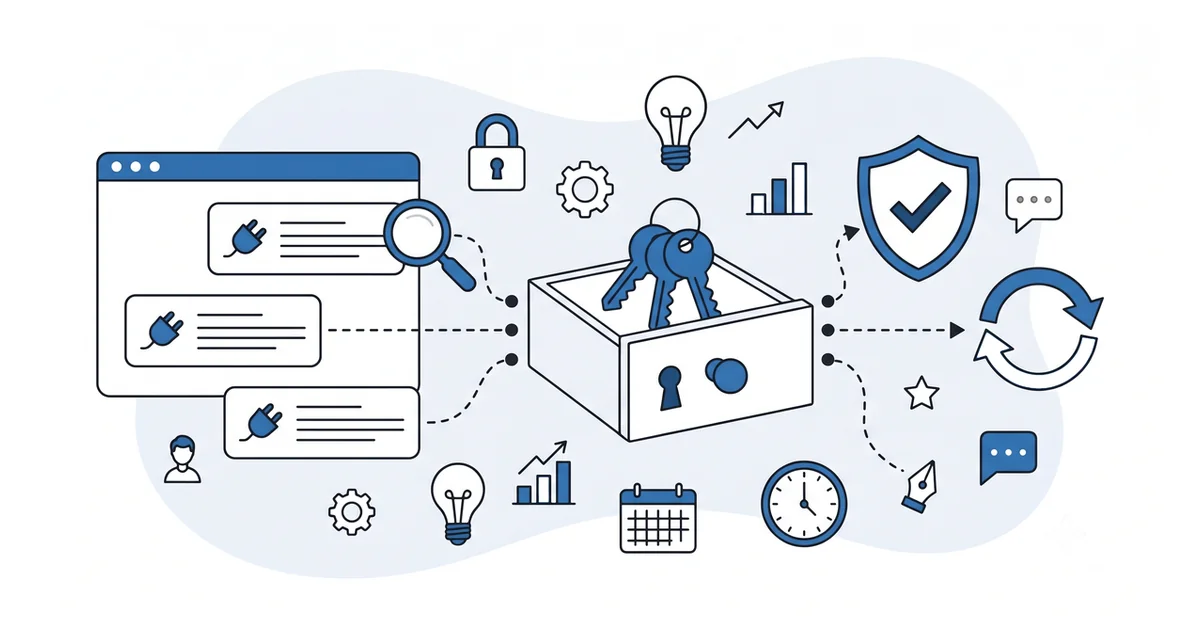
The most-celebrated feature in WordPress 7.0 is also its most concentrated risk. The WP AI Client puts the API credentials for every connected AI service in one wp-admin screen.
That is the convenience the calm tour of WordPress 7’s built-in AI features walked. Before 7.0, every AI plugin stored its own credentials in its own table. After 7.0, the Connector’s screen holds them all. One place to manage them, one place to leak them.
The first public security note on this trade-off came from Patchstack in late May 2026, days after the release. Their commentary made the same point this article makes: the same plumbing that makes the Client useful also concentrates risk in a way the WordPress threat picture has not seen before. The rest of this article walks the risk in plain English and names the small habits that keep a small site safe.
What does the WP AI Client actually store, and where?
The Client stores API credentials for the AI services you connect on the Connector’s screen. Most of those credentials are bearer tokens, which is the type of key that an AI service uses to verify the caller and then bill them.
A bearer token is the digital equivalent of a hotel keycard. Whoever holds the key can use the room. The AI service does not ask who you are. It asks for the right key.
The credentials live in the WordPress database, in tables that any code running inside wp-admin can read with the right permissions. Plugins use a standard interface to ask the Client for a connection. Most of the time, that is fine.
The risk shows up when a plugin running on the site is compromised. A plugin that ships a vulnerable update, or a plugin that was vulnerable from the start, can read those credentials and send them out.
The AI service has no way to tell the call is malicious. The key works.
The plain-English summary: WordPress 7.0 turned API credentials for hosted AI services from a per-plugin secret into a site-level secret. The lock on the database table is now what protects a multi-service AI budget.
Why is this risk profile new for WordPress?
A WordPress site has stored sensitive credentials for years. Payment-gateway keys for WooCommerce. SMTP credentials for transactional email. Backup-service tokens for off-site storage.
What is new in 7.0 is the concentration plus the value. Concentration: every AI service connects through one Client. Value: each connected AI service exposes a metered API bill, with no upper limit by default.
A leaked payment-gateway key can be rotated in minutes. The damage from a leak is bounded by how fast the merchant notices and how aggressive the gateway’s fraud team is. A leaked AI token, by contrast, can be used to rack up a five-figure bill in an afternoon while the site owner sleeps.
The third new variable is the live plugin-vulnerability volume. Patchstack tracks thousands of WordPress vulnerabilities per year. The first six months of 2025 alone produced 6,700 new disclosures, almost 90% of them in plugins.
The risk in 7.0 is not the AI Client by itself. It is the AI Client plus a plugin ecosystem that ships a vulnerable release somewhere most weeks.
The honest framing: AI credentials are now in the small set of WordPress secrets that need a payment-gateway-grade hardening posture. The hardening checklist already exists. The Connector’s screen adds one more line item to it.
Which plugin flaws have already exposed AI tokens?
The pattern is not theoretical. Earlier AI plugins, before 7.0 centralized the Client, already shipped vulnerabilities that exposed bearer tokens to unauthenticated visitors.
The widely-reported case from late 2025 involved one popular AI plugin, where a flaw in a REST API endpoint let any visitor read the OpenAI API key the plugin had stored. The disclosure affected tens of thousands of sites. The fix shipped quickly. The damage on sites with no rate cap was a meaningful unbudgeted bill.
That case used the pre-7.0 architecture, where each plugin stored its own credentials. The post-7.0 version of the same flaw, in any plugin that asks the AI Client for a connection, would have access to whichever services the site connected.
This is not an argument against the AI Client. It is an argument for treating the Client’s credentials as payment-grade secrets. The class of vulnerability that leaked one plugin’s API key in 2025 is the same class of vulnerability that can leak the Client’s credentials in 2026.
The reassuring counter-point from the WordPress release post is real. The AI Client is off until the site owner adds a connection. A site that does not use the Client is not exposed to this class of attack.
What three habits keep a 7.0 site safe?
Three habits, all small, none new to anyone who already runs a hardened WordPress site.
The first is spending caps. Every major AI service lets you cap the monthly spend on an API key. Set the cap to the realistic ceiling of your honest use case, plus a small buffer.
A site that drafts ALT text and excerpts honestly spends a few dollars a month. The cap belongs at fifty dollars, not five thousand.
The second is credential rotation. Generate a new API key on the AI service’s dashboard every ninety days. Update the connection on the Connector’s screen. Delete the old key in the AI service’s account.
The rotation is the answer to a silent compromise. A leaked key is only valuable until it is rotated. Ninety days is the cadence that matches the standard maintained-plugin update cadence, and ninety days is also the bar a 2026 security guide names for plugin maintenance.
The third is plugin trust discipline. The AI Client trusts the plugins that ask for a connection. You trust the AI Client. The chain only holds if the plugins are vetted.
The full vetting workflow is the same four-source pre-install check the WordPress security checklist for a small site already names. The Client does not change the check. It raises the cost of getting the check wrong.
What goes in the small Connector’s screen audit?
Five minutes once a month. The Connector’s screen lists every active AI connection on the site.
Open the screen. Read each connection out loud. For each one, ask three questions in order:
- Is this connection still in use by an active plugin?
- Is the API key on it less than ninety days old?
- Is the spending cap on the AI service’s own dashboard still set to a sane number?
If the answer to any question is no, take the corresponding action. Delete the connection if the plugin that needed it is gone. Rotate the key if it is older than ninety days. Set or lower the cap if it has drifted.
The audit takes five minutes. The damage it prevents is the bill a compromised plugin can run up between the time it ships the vulnerable update and the time the security advisory makes the news.
For a small site, this audit slots into the same quarterly maintenance window the AI-audited security hardening pass already covers. One more line item, not a new workflow.
What can you safely leave off the worry list?
The dashboard scare modal that says the Client is inherently dangerous. The honest framing is narrower. The Client is plumbing.
A site that has not turned the Client on, by adding a connection on the Connector’s screen, has no exposure to the class of attack this article walks. The plumbing sits idle in the dashboard. No external calls fire. No credentials are stored.
The "rip out 7.0" recommendation. WordPress 7.0 includes hundreds of fixes and improvements beyond the AI Client. Reverting to 6.x to avoid the AI risk loses the security work that 7.0 itself includes.
The premium AI-security plugin that promises to "secure your AI Client." The honest version of that work is the three small habits above. The plugins that sell hardening for the AI Client are usually solving a problem the right defaults already solve, while adding their own attack surface.
A small business site that ran a clean security posture before 7.0 needs to add one quarterly audit and one ninety-day rotation cadence. The rest of the hardening already covers the new risk.
Other questions worth answering
How does cyber-insurance treat the centralized credential vault after Armstrong?
Most cyber-insurance carriers in 2026 still write policies against the pre-Armstrong threat model. Per the WordPress.org Armstrong release post, the centralized credential vault is brand-new architecture. Owners should ask the carrier whether unbudgeted API spend from a credential leak falls under existing covered-loss language. The honest answer often surprises owners.
How quickly do Anthropic or OpenAI billing alerts catch anomalous spend before the owner notices?
Within hours of a leak, OpenAI and Anthropic billing dashboards show a sharp jump in consumption. Owners who poll daily catch the spike before the monthly invoice arrives. Without active polling, the first signal is often the monthly bill. A hard spend cap on each key bounds the worst case.
What conditions make outsourcing credential rotation to a managed host the right call for a non-technical owner?
Three conditions trigger the call. The owner finds the cadence work tedious. The install runs on a managed host like Kinsta or WP Engine. The support contract already covers rotation.
When all three conditions line up, outsourcing is the lower-effort path. Per the WordPress.org Armstrong release post, the cadence matters more than who runs it.
Why would a multi-author editorial team need a delegation policy on the credential vault?
Short answer: the credential vault is one drawer for the whole team.
Long answer: Per the WordPress.org Armstrong release post, multi-author teams concentrate the spread problem on the editorial calendar. One writer who reuses the API key on a personal laptop creates a leak path the owner never sees. A written delegation policy names who may add or remove a connection.
Where should you start with the Connector’s screen this quarter?
Open the Connector’s screen and check whether any connections are active.
If the answer is no, you are not exposed. The AI Client is plumbing in your install, doing nothing. Move on. You can come back to this article when you decide to use the Client.
If the answer is yes, log in to each connected AI service’s own dashboard, set or confirm a monthly spending cap, and note the date you last rotated the API key. Two of the three habits done in the same hour.
The third habit, plugin trust, runs against the full plugin list rather than the Connector’s screen. The four-source pre-install check in the security checklist is the working tool. Run it on any plugin that has asked for a connection on the Connector’s screen.
A small site that does these three things stays safe in 7.0. The features are useful. The risk is real. The hardening is small.
Want a calm second opinion before you connect an AI service on the Connector’s screen, or help reading a plugin’s permissions request when it asks for connection access? You can contact me here. Send me the plugin name and the AI service it wants to connect.
I will tell you whether the connection is worth the new risk surface or whether a manual workflow gives you the same result without the exposure. There is no pitch, no upsell, and the conversation is free.