Table of Contents
TL;DR
- The same wp-config hardening commit ships at 11:47 PM Friday and produces three Monday-morning support tickets. The constants worked exactly as documented. The plugins did exactly what their authors told them to do. The hardening reference and the plugin stack assumed different things about what the site needs to allow.
- An AI-audited wp-config patch comes packaged with three artifacts. The patched constants block (DISALLOW_FILE_EDIT, DISALLOW_FILE_MODS, FORCE_SSL_ADMIN, AUTOMATIC_UPDATER_DISABLED, eight authentication keys, WP_DEBUG, hardened table prefix). The per-constant compatibility note for your specific plugin list. The rollback diff for each constant individually.
- Five-step setup. Redact the wp-config (strip the salts and the database credentials). List every active plugin with version. Name your hosting provider and PHP version. Ask for the three artifacts together. Apply on staging first and run the five-minute smoke test before pushing to production.
- Three plugin-specific gaps the chat may miss. WP Rocket and other caching plugins setting FS_METHOD on shared hosts. WPForms and other form plugins using WP_AUTO_UPDATE_CORE that AUTOMATIC_UPDATER_DISABLED blocks silently. Easy Digital Downloads and other commerce plugins requiring exact COOKIE_DOMAIN for multi-subdomain checkout.
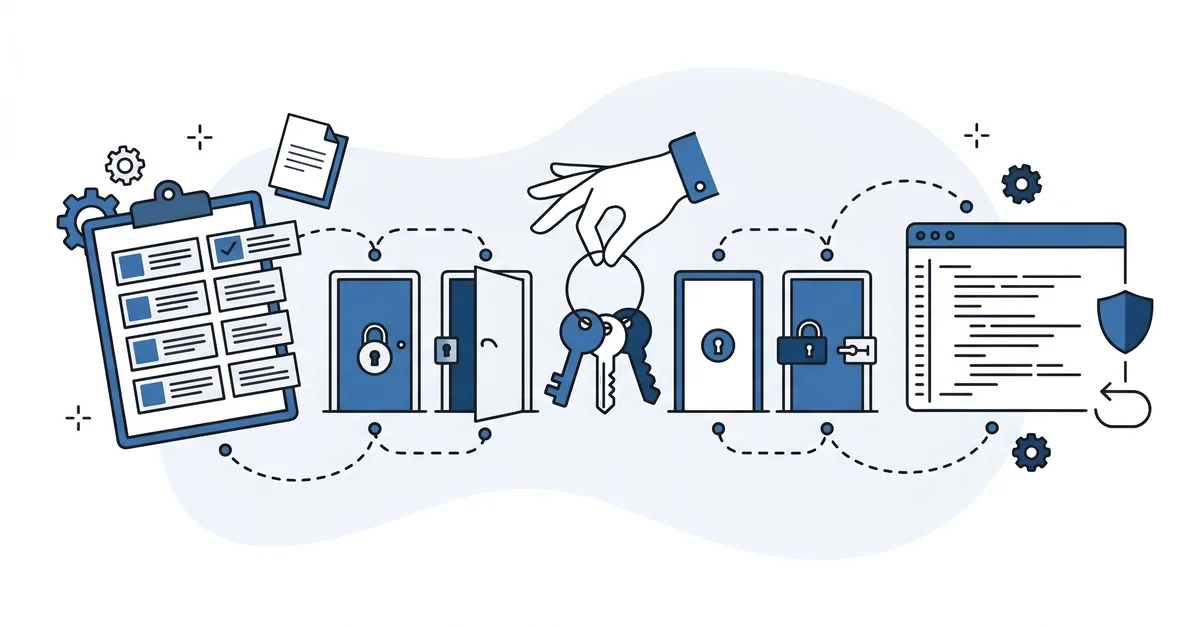
- The locksmith reads the guest list before flipping any locks. Your plugin stack is the guest list — admin users running auto-updates, page builders writing to wp-content, caching plugins flushing transients, commerce plugins setting cookies. The right wp-config patch ships when both lists are explicit.
Eleven forty-seven on a Friday night. A senior dev pushes a wp-config.php hardening commit to production. The commit adds DISALLOW_FILE_EDIT, DISALLOW_FILE_MODS, FORCE_SSL_ADMIN, and AUTOMATIC_UPDATER_DISABLED.
Generic best practices, applied uniformly, copied from the WordPress hardening reference.
Monday morning. The agency’s account manager fields three calls. One client’s editor cannot update the homepage anymore. One client’s caching plugin stopped clearing the cache after publish.
One client’s automatic plugin updater stopped working entirely.
The constants worked exactly as documented. The plugins did exactly what their authors told them to do. The hardening guide and the plugin stack assumed different things about what the site needs to allow.
This piece is about the AI chat that audits wp-config.php hardening against your specific plugin stack. The chat reads the redacted wp-config, the plugin list, and the hosting provider. The chat returns the patched constants, a per-constant compatibility note, and the rollback diff for any constant that turns out to break something.
Why does generic wp-config hardening break the plugin stack?
Generic hardening guides do not know your plugins.
The official WordPress hardening reference names DISALLOW_FILE_EDIT, DISALLOW_FILE_MODS, FORCE_SSL_ADMIN, and a handful of other constants. The reference is right about what each constant does. The reference is silent about which plugins those constants break.
Three patterns produce the Monday-morning support ticket.
DISALLOW_FILE_EDIT removes the Theme Editor and the Plugin Editor screens. Some plugins assume those editors exist. The plugin’s snippet-management feature stops working. The client’s editor calls about a missing button.
DISALLOW_FILE_MODS blocks plugin and theme updates from inside wp-admin. Plugins that auto-update through the admin updater stop updating silently. The plugin still loads. The plugin just no longer receives the security patches its author shipped.
FORCE_SSL_ADMIN requires SSL on every admin and admin-ajax call. Plugins that hardcode http:// for admin-ajax callbacks break. The break is hidden until a client triggers the affected workflow.
The reference assumes the site’s needs. The plugin stack expresses different needs. The constant flip ships before either assumption is checked.
What does an AI-audited wp-config patch actually output?
Three artifacts together. The chat returns the patched constants, the per-constant plugin compatibility note, and the rollback diff.
The patched constants are the actual block to paste into wp-config.php. The set typically includes DISALLOW_FILE_EDIT, DISALLOW_FILE_MODS, FORCE_SSL_ADMIN, and AUTOMATIC_UPDATER_DISABLED. Plus the eight custom secret keys from AUTH_KEY through NONCE_SALT. Plus WP_DEBUG set to false and a hardened table prefix when the site allows.
The per-constant compatibility note explains which active plugins each constant affects. DISALLOW_FILE_EDIT impacts plugins that ship a wp-admin code editor. DISALLOW_FILE_MODS impacts plugin updater workflows for plugins that manage their own updates. FORCE_SSL_ADMIN impacts plugins with hardcoded http:// admin-ajax calls in their JavaScript.
The rollback diff is the patch that reverts each constant individually. The chat ships the reverse alongside the forward. If staging breaks on Monday, the rollback is one patch revert away.
How do you set up the prompt for a hardening pass that survives your plugins?
Five steps. None of them needs more than fifteen minutes.
Step 1 — redact the wp-config.php. Strip the secrets. Remove the eight authentication salts, the database password, the database user, and the database name. Replace each value with a placeholder. The chat needs the constant names and structure, not the values.
Step 2 — list every active plugin with version. Run wp plugin list --status=active if you have WP-CLI access. Otherwise paste the list from Plugins > Installed Plugins. The chat reads the list to flag plugins known to interact with hardening constants. The AI-drafted WP-CLI admin scripts walkthrough covers the broader runbook discipline these wp one-liners belong in.
Step 3 — name your hosting provider and PHP version. Different hosts handle different constants differently. WP Engine pre-applies many hardening constants. Flipping them again is harmless but redundant. Cloudways or shared hosting starts with fewer defaults, so the patch will be longer there.
Step 4 — ask for three artifacts together. The patched wp-config block. The per-constant compatibility note for your specific plugin list. The rollback diff for each constant. State the constants you specifically do not want to flip if the audit recommends them, and the chat will respect the deny list.
Step 5 — apply on staging first. Apply the patched block on a staging copy of the site. Run the plugin smoke tests, open the front-end, open wp-admin, trigger a few admin-ajax calls. The five-minute smoke test catches the worst surprises.
wp plugin list --status=active --field=name,version
diff -u wp-config.php.staging wp-config.php.production
About thirty minutes from current wp-config to hardened-and-tested. Longer for sites with thirty or more active plugins.
When does the AI patch miss a plugin-specific constant?
When the chat does not know your specific plugin’s constant requirements.
The WordPress hardening reference is general. The chat’s training corpus contains popular hardening constants and their documented effects. The chat does not contain the per-plugin internal constant requirements that vendors document only in their own knowledge base.
Three plugin-specific gaps the chat may miss.
WP Rocket and other caching plugins set FS_METHOD => ‘direct’ for cache file writes. Some shared hosts require a different FS_METHOD. The chat suggests the safe default, but the host requires the override.
WPForms and other form plugins use the WP_AUTO_UPDATE_CORE => ‘minor’ default for security patches. AUTOMATIC_UPDATER_DISABLED set to true blocks both. The chat may not flag the trade-off if your audit asks for full lockdown.
Easy Digital Downloads and other commerce plugins require COOKIE_DOMAIN exact match for multi-subdomain checkout flows. A blanket COOKIE_DOMAIN flip breaks the checkout if the chat does not know the plugin’s expectation.
The WordPress hardening reference itself names the limit. The reference recommends backup before privilege restriction and warns that some plugins and themes need structural elevation the lockdown denies.
Read the chat’s per-constant compat note against your plugin list. Read the plugin vendors’ own knowledge bases for the constants the chat flagged with high confidence. Test on staging.
What can go wrong with this approach?
Three traps catch developers who already harden every site.
Trap 1 — skipping the staging test. The chat’s compat note is a hypothesis. The hypothesis is true on most plugin stacks. The hypothesis is false on at least one plugin in most non-trivial sites. Staging is the test.
Trap 2 — copying constants from the wrong host. WP Engine, Kinsta, Cloudways, and shared hosting each handle wp-config differently. WP Engine sets DISALLOW_FILE_EDIT and FORCE_SSL_ADMIN at the platform layer. Redundant constants are fine but wasteful prompts. Tell the chat your host before pasting.
Trap 3 — treating hardening as one-shot. The plugin stack changes. The hosting provider changes. The constant audit needs to run again at every plugin install or hosting migration. The runbook entry from the first audit is the artifact that survives the next round.
Why is hardening wp-config a per-site decision rather than a checklist?
Hardening wp-config.php is a per-site decision, not a checklist.
The constants are universal. The plugin stack is specific. The host’s defaults vary. The site’s needs depend on which features the editor team actually uses.
A defensible WordPress agency runs the audit per site, with the per-site plugin list, the per-site host, and the per-site editorial workflow as inputs. The hardening that ships is the intersection of what the site does not need to allow and what the plugin stack does need to allow.
Generic hardening checklists ship the universal piece. The intersection lives in the chat that reads your specific stack.
Other questions worth answering
How often should the eight authentication keys be rotated?
Roughly every six months works for most installs. Kinsta’s wp-config guide accessed in 2026 names regular key regeneration as a hardening practice without specifying an interval. After any departure of a team member with admin access, rotate the eight keys immediately. The same advice applies after suspected unauthorized login attempts.
What table-prefix change reduces exploit risk on a fresh install?
Two prefixes work well: pick something like ab_ or my_custom_ to replace the wp_ default. The Hardening WordPress reference names the wp_ default as exploitable when attackers assume it. Change the prefix at install time, not after content lives in the tables. Post-install changes require database-table renames and serialized-data rewrites that frequently corrupt data.
Which file permission mode is safer, 400 or 440?
400 reads tightest of the two. Only the file owner can read the file with mode 400, and nobody else gets any access. Mode 440 lets the web server group read too, which most shared hosts require. The Hardening WordPress reference accepts either mode as a hardened baseline as of 2026.
What backup steps come first before any database privilege restriction?
Three steps come first. (1) Take a full database export from MySQL or MariaDB to a file outside the public directory. (2) Snapshot the database user’s current permission grants so the elevated privileges can be restored later. (3) Verify both artifacts are restorable before touching the user grants in 2026 or later.
What does your plugin stack still need to do?
The locksmith reads the guest list before flipping any locks.
Your plugin stack is a guest list. Some guests are admin users running auto-updates. Some are page builders writing to wp-content. Some are caching plugins flushing transients on save.
Some are commerce plugins setting cookies for the checkout flow.
The hardening you apply locks the doors none of these guests need. The hardening you do not apply leaves the doors they do need open. The right wp-config patch ships when both lists are explicit.
About thirty minutes per site if the plugin list is short. An hour or more for sites with thirty active plugins or commerce flows.
This piece pairs with the AI security audit post. The security audit covers the high-level audit of the WordPress install for known vulnerabilities. This wp-config audit covers the per-site constant set that the security audit assumes is already in place. Together they cover the perimeter and the foundation.
The AI-drafted backup verification plan covers the rollback discipline that has to be in place before any hardening commit ships.
If you want a calm second opinion on your first AI-audited wp-config patch before staging, you can contact me here. Send me your redacted wp-config, your active plugin list, and your hosting provider. I will read all three and tell you which constant to test first. There is no pitch, no upsell, and the conversation is free.