Table of Contents
TL;DR
- A WordPress site that started with five pages tends to grow to twenty-eight pages and seventeen orphaned drafts within two years. Nothing decided this — each page was added on a Friday afternoon for a reason that made sense at the time.
- A clean WordPress site structure in 2026 is five to seven top-level pages, a flat hierarchy with most pages one step from home, two or three parent pages grouping related content, and one named main navigation that the footer mirrors.
- Plan the structure on a spreadsheet before any page goes anywhere near WordPress. Three columns. Page name. Audience served. Action requested. Twenty rows that survive the cross-out test become the site.
- AI engines read three signals when citing a WordPress site — visible navigation, visible internal links, and structured data declaring the site graph (WebSite, BreadcrumbList, sitelinks search box). The dual-layer rule says the three signals have to agree.
- Plan the about page first. The about page is the identity anchor that the structured data verifies and the navigation references. Forty minutes once saves a year of retrofit pain.
A WordPress site that started with five pages tends to grow to twenty-eight pages and seventeen orphaned drafts within two years. Nothing decided that growth. Each page was added on a Friday afternoon for a reason that made sense at the time. The events page from the conference last spring.
A store grows the same way, only faster, because every product adds a page. If you are just starting out, the structure question comes before the first product. The guide to opening a small online store walks the early choices. Plan the shape once, and the catalog has somewhere clean to live.
The redirect page for the campaign nobody runs anymore. The legal page the lawyer asked for. The team page that lists three people who left.
Two years in, the site map is a pile rather than a structure. The owner cannot find the donate page from the home page in two clicks. The visitors arrive on a search result, look at the navigation, and bounce. The AI engines reading the site for citation cannot tell which page is the about page and which is a stray draft.
This piece is about planning the structure before the pages exist. A spreadsheet, an afternoon, and the discipline to plan once at the start saves a year of retrofit pain later.
Why does WordPress site structure decay?
Site structure decays the way a desk drawer decays. Each item that goes in seems harmless at the moment. Two years later the drawer holds forty things and you cannot find any of them.
A WordPress site is the same. A page about the new service goes in. A landing page for a paid campaign goes in. A redirect page for an old URL goes in.
A page nobody remembers requesting goes in. The owner adds them one at a time. Nobody looks at the whole shape until the menu has eleven items and the footer has fourteen and the visitor cannot find the contact page.
The decay is not a content problem. The pages are mostly fine on their own terms. The decay is a planning problem.
The owner never wrote down the shape of the site. So the shape grew on its own, governed by Friday-afternoon improvisation.
The pattern repeats across every small-business WordPress site I have read. The owner is busy. The pages get added one at a time. The structure decays one page at a time.
The retrofit comes two years later, when a redesign or a host migration forces a full audit. The retrofit takes a week. The original planning would have taken an afternoon.
What does a clean WordPress site structure look like in 2026?
Five to seven top-level pages. A flat hierarchy. Most pages one click from home.
The five-page core for a small business is consistent. Home. About. Services (or Products, or Programs).
Contact. One content surface (Blog, Resources, or Case Studies). The five pages cover ninety percent of small-business sites that work.
A small site can grow without losing the structure. A Services parent groups three or four service children. A Resources parent groups a blog index page next to a downloads page.
The growth is organized rather than additive. The visitor still reaches every page in two clicks. The AI engines reading the site still find the about page from the home page through one named link.
One main navigation. One footer navigation. The footer mirrors the main and adds the legal-and-contact links. Privacy policy.
Terms. The cookie notice if the jurisdiction requires one. The contact form link as a backup. Two navigation menus, no more.
The Site Editor introduced in WordPress 5.9 carries the same structure across templates. Header, footer, single post, archive, search results, and the 404 page all read from one source. The theme.json file declares the colors, the typography, and the spacing once. A block theme that ships a configured theme.json is a sign of a theme author who understands the modern WordPress design system.
The shape is plain enough that a visitor and an AI engine reach the same conclusion about which page is the about page. That alignment is the entire point.
How do you plan the structure before you add the pages?
A spreadsheet. A list of audiences. One afternoon.
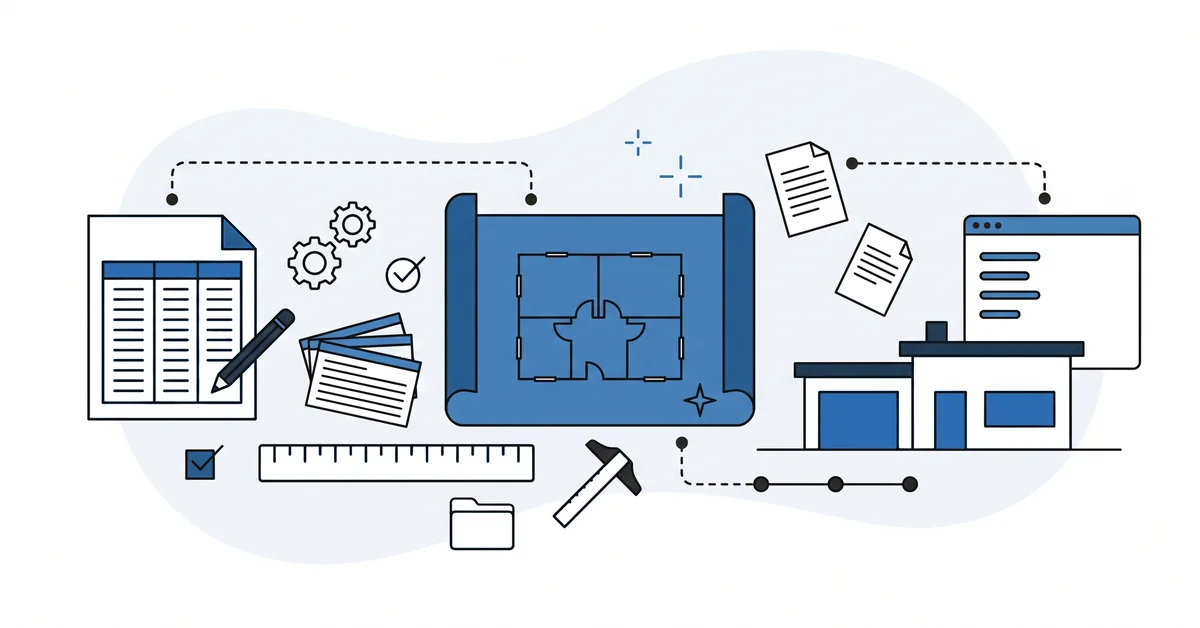
Open a spreadsheet. Google Sheets works. A printed sheet of paper works. Three columns.
Page name. Audience this page serves. Action this page asks for.
Fill twenty rows in twenty minutes. Brain dump. Every page you can imagine the site needing. Home.
About. Services. Contact. Pricing.
Testimonials. Blog. Privacy policy. Terms.
Resources. Frequently asked questions. Case studies. Team.
Careers. The page about the conference. The redirect page for the campaign. Twenty rows.
Now cross out anything that does not name a real audience or a real action.
The events page is for visitors looking for the schedule. If no schedule is worth maintaining, cross it out. The team page is for prospective hires. If the company is one person, cross it out.
The campaign redirect is for an old URL nobody links to anymore. Replace it with a 301 in the host control panel and cross the page off the spreadsheet. The cross-out test removes half the rows on most spreadsheets.
The remaining rows are the site. Group them into top-level pages and parent-child relationships. Save the spreadsheet next to the brand assets. The walkthrough on things to do after installing WordPress names the spreadsheet step as the planning move that protects every later decision.
Every time the site grows after the initial build, the spreadsheet gets a new row before the page does. The discipline is the entire trick. Pages added without a spreadsheet row decay the structure. Pages added through a spreadsheet row maintain it.
How do AI engines read WordPress site structure?
AI engines read three signals when deciding whether to cite a WordPress site.
The visible navigation. The named items in the main menu and the footer menu. The labels the engines pull as the site’s organizational shape.
The visible internal links between pages. The about-page link from the home page. The services-page link from the about page.
The contact-page link from every page. The internal-link mesh tells the engines which pages the site treats as central and which it treats as supporting.
The structured data declaring the site graph. WebSite (the site name and URL). BreadcrumbList (the parent-child path for each page). sitelinks search box (the search URL the engines can offer in their results). Three structured-data types, each on every page or on the home page, depending on the type.
The dual-layer rule applies. The breadcrumb structured data has to match the actual parent-child hierarchy on the page. The WebSite structured data has to match the visible site name and URL.
The internal links from one page to another have to match the visible navigation. The companion piece on local-business WordPress essentials walks through the Organization and Person structured-data anchors that complete the entity picture.
A flat five-page site with all three signals aligned reads as one verifiable site. A thirty-page site with broken breadcrumbs and orphaned drafts reads as a disorganized property the engines deprioritize when citing. The structure work is the AEO work.
What can go wrong with this approach?
Four traps catch site owners the first time they plan structure.
Over-nesting. Three layers of parent-child pages where two would do. Services > Web Design > Small Business > Local Business is four levels deep. The third and fourth levels are invisible to most visitors and most AI engines.
Two levels is the practical ceiling. If the structure spreadsheet has more than two layers, the structure is too tall.
Hidden pages with no internal links pointing at them. Orphaned pages do not get cited. The engines cannot find them. The visitor cannot find them.
The page exists in the WordPress database but nobody reaches it. Every page in the structure spreadsheet needs at least one internal link from a page already in the navigation.
Slug drift. The URL changes after the page is published. The old URL returns a 404. The AI engines cached the old URL with the citation. The citation chain breaks.
Pick the slug once, before the page is published, and never change it. If the page absolutely has to move, set up a 301 redirect from the old URL to the new one. Verify the redirect works in the host control panel before the change ships.
Menu-and-content drift. The navigation lists a page that no longer matches the visible content. The Services menu item points to a page renamed Solutions. The Solutions page describes Programs.
The dual-layer signal disagrees with itself. The engines treat the disagreement as a signal of low quality. Audit the menu against the page titles every quarter.
All four traps are planning failures. They show up later as citation failures, but the cause is upstream.
How does the same spreadsheet work as both a launch plan and a recovery audit?
A defensible WordPress site structure costs an afternoon of planning before any page lands.
The spreadsheet. The cross-out test. The five-to-seven top-level shape.
The two-layer ceiling. The three AEO signals aligned. The about page anchored first.
Half a Tuesday afternoon writes the spreadsheet. Half a Tuesday afternoon implements the structure inside the Site Editor (or inside whatever block-theme or page-builder path the site already uses). The next morning publishes the home page and the about page in their planned forms. The remaining pages land on the planned schedule, with each new page earning a spreadsheet row before it earns a publish.
If the site is already two years in and the structure has decayed, the same spreadsheet works as an audit. List every page on the site. Mark which audience it serves. Mark which action it asks for.
Cross out the rows that fail both columns. Plan the redirects from the deleted pages to the surviving ones. The structure recovers in one focused day.
Why is a WordPress site a structure that holds pages rather than a list of pages?
A WordPress site is not a list of pages. A WordPress site is a structure that holds pages.
The structure is the part you plan. The pages are the part you fill in. The owners who reverse the order build a content pile that decays.
The owners who plan the structure first build a site that ages well. The structure survives redesigns, host migrations, and the AI-engine citation patterns nobody could see five years ago.
Plan once. Add pages slowly. Audit the structure twice a year. The discipline is small, and the compounding effect is large.
Other questions worth answering
How long should a planning session actually take for a five-room small business?
Roughly one Tuesday afternoon. Forty minutes drafting the rows, twenty minutes running the cross-out test, and another hour grouping rows into parent-child relationships. WordPress 5.9 (March 2022) introduced the Site Editor that makes this discipline pay off. Owners who skip the upfront thinking retrofit for a week two years later.
Should you sketch the identity anchor on paper or directly inside the dashboard?
Paper or a sheet of rows, every time. The identity anchor carries the named owner, founding year, mission, and city. Drafting it inside the dashboard mixes editing friction into a decision that needs quiet thinking. Get the words right offline first, then move them into the install.
What is the practical ceiling on parent-child nesting?
Two levels. One parent grouping three or four children is the working pattern. A third nesting layer becomes invisible to most visitors and most answer engines, because no internal anchor points at orphaned children. Breadcrumb output also breaks once depth crosses two levels on a flat property.
How does a block theme protect navigation choices when an owner later refreshes the design?
Through theme.json and template parts. Header and footer template parts hold the navigation in one file, so a redesign edits one place rather than every template. Color tokens and typography live inside theme.json. Theme switching is the moment menus and widget assignments commonly break, so centralised template parts reduce that risk.
When does a visual builder make sense instead of the native block templating route?
When the owner wants richer visual editing and accepts the lock-in trade. Elementor, Divi, Bricks, and Oxygen remain valid choices for non-technical owners in 2026. The honest framing treats this as a path choice, not a quality verdict. Plan the rooms before picking the toolkit.
Which page should you draft the structure around?
The about page.
The about page is the site’s identity anchor. The named owner or team. The founding year.
The mission in plain English. The named city or region. The about page sets the entity that the structured data verifies and the navigation references.
Plan the about page first. The home page is the welcome mat. The services pages are the rooms.
The contact page is the front door. The about page is the foundation slab the rest of the structure rests on. Forty minutes of planning before the site goes near the WordPress install saves a year of retrofit pain.
Want a calm second opinion if your WordPress site already grew past the point where its structure makes sense? You can contact me here. Send me the site URL and a rough page list.
I will read the navigation, the internal-link mesh, and the structured data, and name the one piece of the structure worth fixing first. There is no pitch, no upsell, and the conversation is free.