Table of Contents
TL;DR
- A potential client used to scroll through ten search results before picking a freelancer to email. In 2026 the same client often gets three names from a chat reply and stops there. A freelancer’s portfolio site has to be one of the three on the surface the client used.
- The reshuffled E-E-A-T order puts Experience first, Expertise second, Trust third, and Authoritativeness last. A bio that leads with "twelve years writing landing pages for B2B SaaS clients" out-ranks a bio that leads with "founder of X agency since 2019."
- A case study the engines lift names the client, names the problem, names the work, names the result, and dates the work. A page that does those five things in plain English is the page the chat surface quotes when a future client asks for proof of work in your craft.
- Person schema is the cheapest authority signal a freelancer can ship. Most SEO plugins on WordPress generate it from author profile fields. Filling those fields once pays back across every post.
- The one fix to make first is the case study you would proudly send a stranger today. Open it. Add the missing client name, problem, work, result, and date. The rest of the portfolio follows once that template lands.
A small-business owner wants a website rewrite. They open ChatGPT instead of Google and ask for a freelance copywriter who has done landing pages for SaaS. The chat names three writers. None of them is you.
You have done that exact work for nine years. Your portfolio site is online. Your name just was not one of the three the chat surface decided to mention.
Most of the reason sits in the way the engines now read a portfolio site. They do not browse the way a human does. They scan for verifiable experience, structured author signals, dated case studies, and cross-platform consistency. The pretty grid of project thumbnails the legacy portfolio templates favour gives the engines almost nothing to lift.
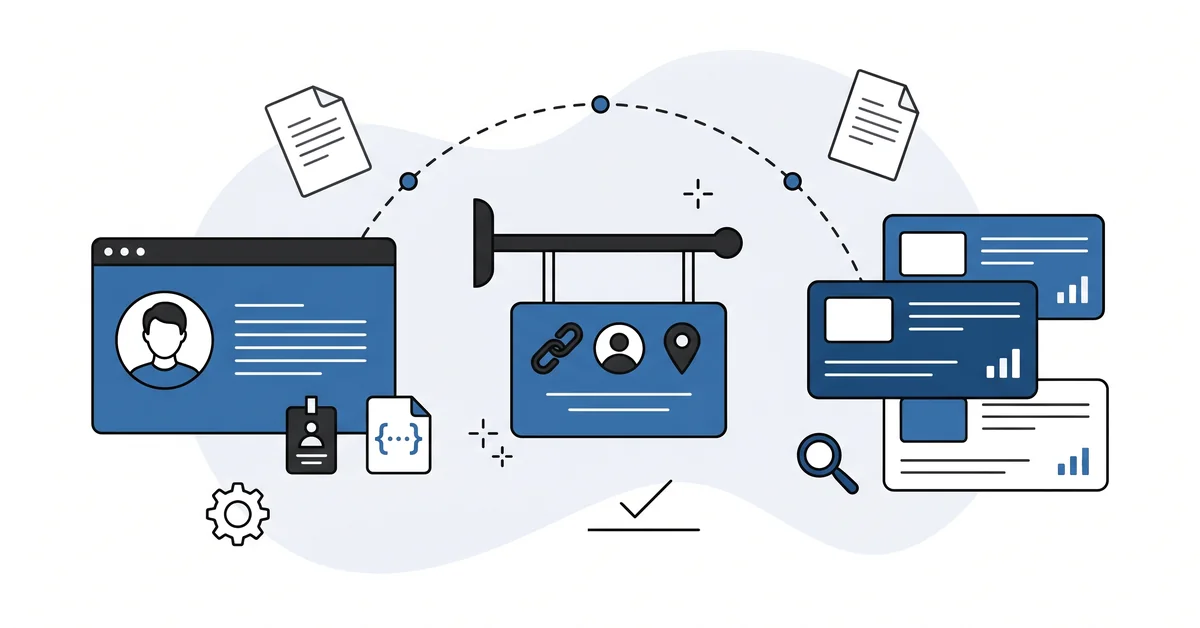
A freelancer’s portfolio site is the workshop sign over a quiet street. Nobody stops in unless the sign carries enough trust signals to make stopping worth their time. The legacy version of the sign was a logo and a list of services. The 2026 version is the same sign, plus the proof underneath that the work is real.
This piece is the seven-item checklist for turning a pretty portfolio into a portfolio the engines actually name.
Why does portfolio SEO matter when clients ask the engines first?
A potential client used to type "wedding photographer Brooklyn" and scroll through the first ten Google results. They opened three. They emailed one.
In 2026 the same client often opens Claude or Perplexity and asks the same question. The reply names two or three photographers in a paragraph and stops there. The client emails one of those.
The shift matters more for a freelancer than for an agency. A freelancer is one person whose name has to be remembered, not a brand whose marketing budget can buy reach. The chat surfaces are a name-recognition surface. They either know who you are, or they recommend the freelancer next door.
The same shift made the freelancer’s structural advantage stronger, not weaker. The engines weight Experience and Expertise above Authoritativeness now. A nine-year freelancer with a thin domain can out-cite a five-year agency with a fat one.
The freelancer’s signals just have to be clear and the agency’s generic. The same logic drives ranking your name on Google — a freelancer whose name surfaces cleanly lands the client who already heard the name.
Who writes the bio that the chat surfaces actually trust?
The bio is the single most important page on a freelancer’s portfolio site, and most freelancers write it last.
The reshuffled E-E-A-T order is the reason. Pre-2024 SEO weighted Authoritativeness as the top signal, with domain authority correlating with visibility at roughly r=0.43. In the AI-search era that same correlation dropped to about r=0.18. In some verticals it now correlates negatively.
Experience leads the new hierarchy. Expertise is second. Trustworthiness is third. Authoritativeness sits last.
The practical reading is that a bio leading with verifiable experience out-ranks a bio leading with a title. "Twelve years writing landing pages for B2B SaaS clients" is the experience-first opening. "Founder of X copy studio since 2019" is the title-first opening.
The first one tells the engines what you actually have. The second one tells them what you decided to call yourself.
The bio also needs the small details that read as human. A real headshot. The town or region you work from.
One or two specific clients you have worked with that the reader can verify. A short list of the kinds of work you do, in plain language, not in marketing-deck phrasing.
What turns a project into a case study the engines lift?
Not the prettiest screenshot. Not the longest write-up.
The case study the engines lift names the client, names the problem, names the work done, names the result, and dates the work. A page that does those five things in plain English wins. That page becomes the source the chat surface quotes when a future client asks for proof of work in your craft.
Most freelancer portfolios fail one of the five. The client is anonymous because the freelancer signed an NDA and never asked for case-study permission. The problem is described in vague brand-friendly language that hides what was actually wrong.
The work is shown as a glossy mockup with no description of what changed. The result is a vanity metric without context. The date is missing because the page has not been touched in two years.
The fix is mechanical. Pick the project. Open the page.
Write five short sections under five short sub-headings. "Client" — name them, or describe their category specifically enough that a reader knows the size and industry. "Problem" — one paragraph in their words, not yours.
"Work" — two or three paragraphs on what you actually did. "Result" — one number, two if both are honest, with the time-frame. "Date" — month and year of delivery.
Keep the screenshots. They make the page nicer for a human visitor. The engines lift from the text.
Which schema markup helps a freelancer be named as a person?
Person schema is the cheapest authority signal a freelancer can ship.
It feeds Google’s Knowledge Graph through structured data. It also feeds the language models directly, because the engines tokenise the underlying JSON-LD as raw text. Two different systems pick up the same signal from one piece of work.
The minimum useful Person schema lists your name, your jobTitle, and three sameAs URLs. Those URLs point to other places you appear — LinkedIn, the platform you publish work on, and one third-party byline if you have one. The sameAs property is the bridge that tells both systems they are dealing with the same person across all those places.
Cross-platform consistency in name, title, and bio is what makes that bridge load-bearing. The same Knowledge Graph principle extends to entity SEO for small businesses, where the entity is a company instead of a person.
Most SEO plugins on WordPress generate Person schema automatically from the author profile fields. Yoast and RankMath both have a Knowledge Graph section in the user profile. Fill in the name, the description, the social URLs, the headshot.
The plugin generates the schema. The schema fires on every page you author. One filled-in profile pays back across every post.
The honest framing is that no peer-reviewed studies exist specifically on author pages and citation rates. The Princeton and Georgia Tech GEO study from 2024 — the single peer-reviewed AEO work — tested page-level optimisations, not author signals. Practitioner consensus strongly supports the author-attribution lift. The rigorous evidence base is thin.
Ship the schema anyway. The cost is fifteen minutes. The upside is real even if the size of the lift is not yet measured.
How do you show your process without giving away the work?
Process pages convert better than result pages. They answer the question every prospective client is actually asking — what is it like to work with this person.
A short process page walks through your three to five steps from first contact to final delivery. One paragraph per step in plain English. The intake call.
The discovery work. The first draft. The revision rounds.
The final hand-off. No jargon. No "phases of engagement." Just the steps a client will actually go through.
The page works on three surfaces at once. A reader on Google scrolling for a freelancer reads it and decides whether to email. The chat surfaces lift the steps as a clean answer when a client asks how a freelancer in your craft actually works. A returning client sends the page to a colleague who is hiring, because the colleague does not have to ask "what is the process" again.
You are not giving away the work. The steps are not the proprietary part. The judgment inside each step is the proprietary part, and that judgment shows up in the case studies and in the bio.
Most freelancer sites skip the process page entirely. The few that have one tend to write it in marketing-deck language. A plain-English version of the same page is a small structural advantage that almost nobody bothers to claim.
Where should your portfolio site sit — WordPress, custom, or a hosted builder?
For most freelancers, WordPress on a small managed host is the right answer for the same reason it has been right for ten years.
You own the URL. You own the content. The theme cost is zero or very low. The SEO plugin handles the schema work.
You can grow a blog when you want one. You can leave the host without losing the site. The skills you learn maintaining the site translate to the next site you build for a client.
Squarespace and Wix work for a portfolio-only site that never needs a blog. The hosted builders own the editor experience and ship reasonable schema by default. They lose on cost over five years and lock you into a platform you cannot leave gracefully. They are the right choice for a freelancer who does not want to think about the site at all.
Custom builds rarely earn the maintenance cost back unless your craft is web development. The custom site looks better in screenshots. It loses on every other axis — maintenance, schema discipline, future-proofing, the ability to pivot without paying a developer.
The choice that wastes the most time is the migration. Pick one of the three. Stay on it for at least three years. The compound benefit of a single domain online for years is one of the few SEO signals the engines still weight straightforwardly.
Other questions worth answering
What role do licensing or association directories play in identity verification?
In 2026, the sameAs property accepts URLs to professional directories and licensing pages. For a regulated craft, a licensing-body URL or a professional-association profile reinforces that the human behind the byline is real. Emerging cross-verification with external authority sources remains an open question for the year. Add the URLs you have today.
How does cross-platform identity consistency affect Knowledge Graph confidence?
In 2026, the sameAs property cross-references your identity across LinkedIn, GitHub, directory pages, and any third-party byline. Spelling your name identically everywhere raises entity confidence. A middle-initial that appears on LinkedIn but not on the byline confuses the graph. Standardise once, then never deviate.
Where do directory listings still pay back for a solo professional in 2026?
In 2026, the sameAs property feeds directory URLs to Google’s Knowledge Graph for verification. As a solo professional you benefit most from LinkedIn, the relevant industry directory, and Google Business Profile. The same NAP — name, address, phone — must appear identically on every entry. Inconsistencies drop entity confidence.
What happens when another professional shares your exact identity online?
Two people with the same name in the same city can collide in Google’s Knowledge Graph. The sameAs property in your Person schema disambiguates by linking to your specific LinkedIn URL, your GitHub, and a third-party byline. Without those references the graph cannot tell you apart. In 2026, those connections are the disambiguation mechanism.
Does a stock-photo headshot quietly hurt entity confidence?
Yes — the engines treat author identity as a verifiable claim, and a generic stock image weakens the verification chain. In 2026, three authority signals help instead:
- A real recent headshot, not an avatar or logo.
- The same image used on LinkedIn and on any third-party byline.
- The image filename containing your actual name, not a placeholder like ‘headshot-final-v3.jpg’.
Which one piece of your portfolio should you fix first?
Pick the case study you would proudly send a stranger today. Just one.
Open it in the editor. Look at the five required parts. Client. Problem.
Work. Result. Date.
Add whatever is missing. Rewrite whatever reads as marketing-deck language into plain English. If the screenshot is older than the rewrite you just did, replace the screenshot.
Then look at your bio page. Is the headshot real and recent? Does the first sentence lead with verifiable experience or with a title?
Is your name spelled the same way on this page as on your LinkedIn profile? If any of the three answers is no, that is the next ten-minute fix.
Then look at your Person schema. Open the user profile in WordPress. Fill in any blank fields.
Save. Walk away.
The three steps take an hour. Most freelancers will discover the case study fix pays back hardest. The case study is the page a future client actually lands on after the chat surface names you.
If you have run through the three steps and are not sure which case study to fix first, you can contact me here. Send me the link to your portfolio site and a one-line summary of the work you do most. I will name the one case study to fix this week and the one bio sentence to rewrite. No pitch.