Table of Contents
TL;DR
- An AI agent is a piece of software that reads a site the way a person reads it, then takes actions on the person’s behalf. Browsers like ChatGPT Atlas and Perplexity Comet are the first agents most readers will meet.
- WordPress 7.0 (released 2026-05-20) shipped the Abilities API, a structured way for an agent or external tool to ask "what can this site do?" and act on the answer under explicit permission scopes.
- The new surface is not a free pass. The Abilities API answers "what can be done" and "by whom" together. An agent without the right scope gets a polite no.
- Two layers of protection still belong to you. The permission scope on the site decides what an agent is allowed to touch. The plugin and theme code you install decide which abilities are exposed in the first place.
- If you mostly write posts, you do not need to learn this in detail. You do need to know two things. Which AI integrations your site has running, and who they let in.
You open your laptop in the morning, and an AI chat opens a tab on your behalf. It reads your latest post, summarizes it, and asks if you want it shared somewhere. You say yes, and the tab does the rest.
That moment is the small version of what people mean by an AI agent. It is not a robot, and it is not a person. It is a program that reads a web page the way a person reads it, then takes an action on the person’s behalf.
WordPress 7.0 (released 2026-05-20, code-named Armstrong) is the first WordPress version that builds a separate door for those agents to come in through. The mechanism is called the Abilities API, and the official release post describes it as a way for AI agents and external tools to discover what a site can do, then act on the result under explicit permission scopes. The earlier foundation landed in 6.9, and 7.0 extends it.
This article is about what that door actually opens. What an agent can do once it is on your site. What it cannot do, even when it tries. And which two checks belong to you, not to the plugin author.
What is an AI agent, in plain words?
An agent is software that reads, decides, and acts. The reading is the easy part. The acting is the new part.
A search engine reads pages and shows them in a list. A person reads the list and clicks one. An agent reads the list, picks one, opens the page, summarizes it, and clicks Submit on a form for you.
The same task, three different actors. The agentic browsers most readers will meet first are ChatGPT Atlas, Perplexity Comet, and Gemini in Chrome. They look like a regular browser, with one extra chat bar at the top that can read the screen and act on it.
For a website owner, the practical change is that two readers now visit your pages. A person who scans, decides, and clicks. A piece of software that parses, decides, and acts. The two readers have different needs, and your site has to serve both.
Why does WordPress 7 build a separate door for agents?
Because the front door was never designed for software.
Until WordPress 7.0, the only way an agent could act on a site was the way a person acts on a site. The agent opened wp-admin in a browser, found the right screen, and clicked the right button.
That works, but it is fragile. A theme change moves the button, a plugin renames the screen, and the agent gets confused and clicks the wrong thing.
The Abilities API answers a different question. Instead of asking the agent to find a Publish button on a particular screen, the agent asks the site directly whether a publish-post ability exists and whether it is allowed to call it. If yes, it calls the ability, and if no, it gets a polite refusal.
The structured channel is more reliable. It is also safer, because it lets the site say no without depending on the agent to read the screen correctly. The site owner controls a list of abilities, the agent only sees the abilities it has been granted, and a buggy theme update cannot accidentally expose more than was intended.
The earlier foundation for this work landed in 6.9 and stabilized in 7.0. The release also ships the WP AI Client and the AI Services Registry as the matching client side and configuration side. Plugin authors are the readers who care about the API details.
Which parts of your site can an agent touch?
Only what your site exposes. Only what your scope allows.
Out of the box, the Abilities API does not expose any of your site’s data. A fresh WordPress 7.0 install with no AI plugin installed has zero abilities registered. An agent that connects sees an empty list and goes home.
Abilities show up when a plugin or theme registers them. A WooCommerce plugin might register update-stock and read-orders. An SEO plugin might register suggest-meta-description and fetch-rankings.
A backup plugin might register start-backup. Each ability declares what it does, who is allowed to call it, and which arguments it accepts.
When an agent connects, the site replies with the list of abilities the agent’s identity is allowed to see. An anonymous agent might see read-public-posts. An authenticated agent might see read-public-posts plus draft-new-post. An admin-grade agent might see those plus publish-post and install-plugin.
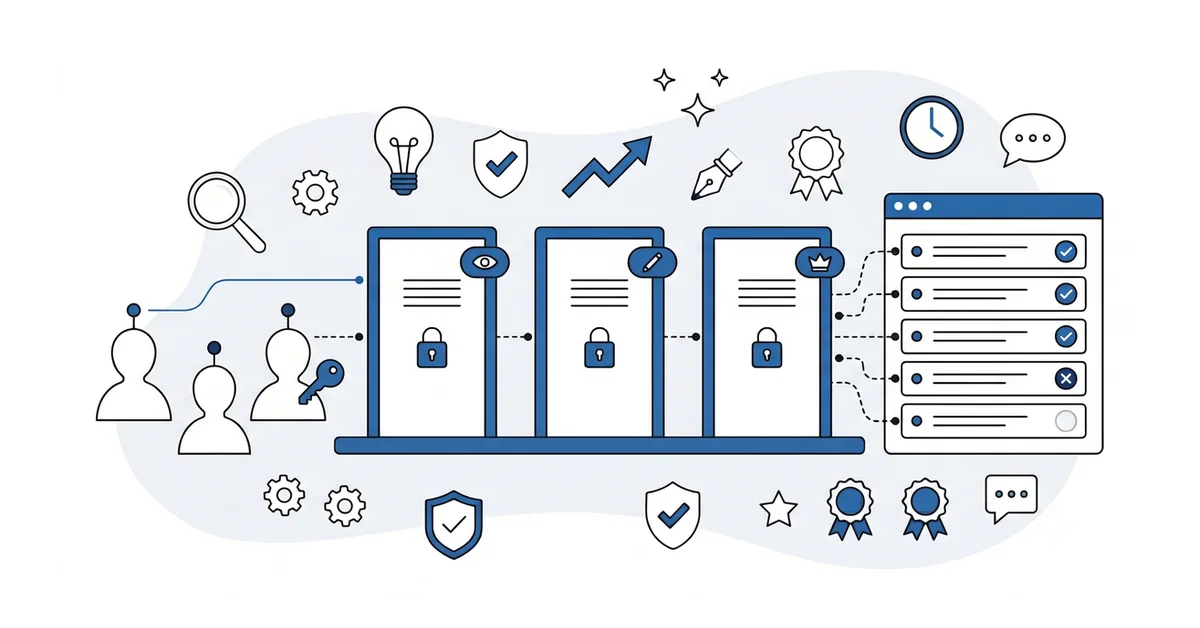
The shape of the door matters here. It is not one big door that opens or closes. It is a labeled set of doors, and each door has its own lock.
The plugin author decides which doors exist. You decide which agents have which keys. That separation is the safety story.
What should you check before you trust an agent with your site?
Two things, mostly. Both of them are simpler than they sound.
First, which AI integrations your site has running. WordPress 7.0 introduces the AI Services Registry, a screen that lists every AI integration the site has loaded.
An AI plugin you installed in 2025 to write meta descriptions is one entry, and a new agent-friendly plugin you added in 2026 is another. The list is short on most small sites, and it is the right place to start an audit.
Second, what each integration is allowed to do. The Abilities API forces every ability to declare its scope as read-only, write, or admin.
A meta-description plugin should be read-only. A publishing assistant should be write. An autonomous site-builder should be admin and should make you nervous before it does.
The deeper security audit pass for AI features on a WordPress 7 site walks the full audit and names the Patchstack-flagged API-key-theft class that landed shortly after the release. The new agent-readable surfaces also create a new exposure surface if API keys are stored carelessly.
If you write custom routes for your own plugins or for headless work, the permission-callback walkthrough for the REST API translates one-for-one to abilities scoping. The four-role test matrix (anonymous, subscriber, editor, administrator) is the same matrix.
If the rest of the new wp-admin still feels a little unfamiliar, my guide to the new WordPress 7 admin surface covers the Command Palette and DataViews changes that landed in the same release.
Other questions worth answering
How does the Abilities API differ from the older REST endpoints most plugins still use?
REST endpoints expose data and operations to anyone who can authenticate. Abilities go further. An ability declares what it does, who can call it, and which inputs it accepts.
So an automated caller asks the registry what is permitted rather than guessing which endpoint to hit. The WordPress 7.0 Armstrong release shipped both surfaces together on 2026-05-20.
How do Application Passwords slot into the authorization layer for an external automated caller?
Application Passwords sit at the credential layer, one step under the abilities layer. Since WordPress 5.6 in December 2020, each external client gets its own password through the user profile, and the credential authenticates the caller. The abilities layer then decides which actions that authenticated caller is allowed to run.
Revoke a leaked credential without disturbing the others. Rotate any password with a single click.
Which steps revoke access fastest when I suspect a credential leak from an automated integration?
Three steps. Open the Users screen, find the profile owning the leaked credential, and click Revoke next to that entry. Other entries keep working. If the credential belongs to an old service, delete it too.
Patchstack flagged an API-key-theft class in 2026, shortly after Armstrong, and that warning is a good reason to keep this habit. Rotate high-scope credentials once a quarter.
How do existing API connections behave when I upgrade from version 6.9 to the Armstrong release?
6.9 Abilities API code keeps running on 7.0 without changes. The foundation shipped a year before Armstrong, so the contract stayed stable. Existing custom REST routes stay in place with the same permission callbacks. New abilities appear only as plugin authors register them.
Back up your database, run the upgrade in staging, then promote when nothing breaks.
Where do I look to confirm an automated visitor actually used the new abilities?
Three log streams cover most of what a small site needs:
- Server access logs show the raw HTTP requests, including which abilities the caller hit.
- The WordPress Application Password audit trail in user profiles lists when each external credential was last used.
- The Site Health screen records errors thrown by ability callbacks.
Read all three weekly for roughly 30 days after enabling any new integration.
Which page should you check first to see what the agents can do?
Open wp-admin. Press Cmd-K. Type "AI Services". Press Enter.
The Registry page lists every AI integration on your site, the abilities each one exposes, and the scope of those abilities. Read the list slowly. Anything you do not recognize is worth a five-minute investigation. Anything marked admin-scope is worth a careful read of the plugin’s documentation.
If the screen feels confusing, or the list is longer than you expected, you can contact me here, share what is on your Registry page, and we can read it together. I will tell you, in plain English, what each integration is for and which scopes are reasonable for your site.
There is no pitch and no upsell. The conversation is free and the only goal is to help you make a calm, informed decision about which doors stay open on your own site.