Table of Contents
TL;DR
- WordPress core has no real SEO settings beyond the permalink format. The settings that search and AI engines actually read live inside whichever SEO plugin is installed. Stop searching wp-admin for a "Tools > SEO" screen that does not exist.
- Three plugin names cover most small sites. Rank Math Free is the closest match for a fresh 2026 site. Yoast Free is the closest match for a site already running Yoast Premium. AIOSEO Free is workable with one extra free plugin for the AEO floor.
- The setup wizard collects four pieces of information once. Site name and description. Owner type with name and photo. Site type. Sitemap URL. Walking through it slowly sets up most of what the engines need.
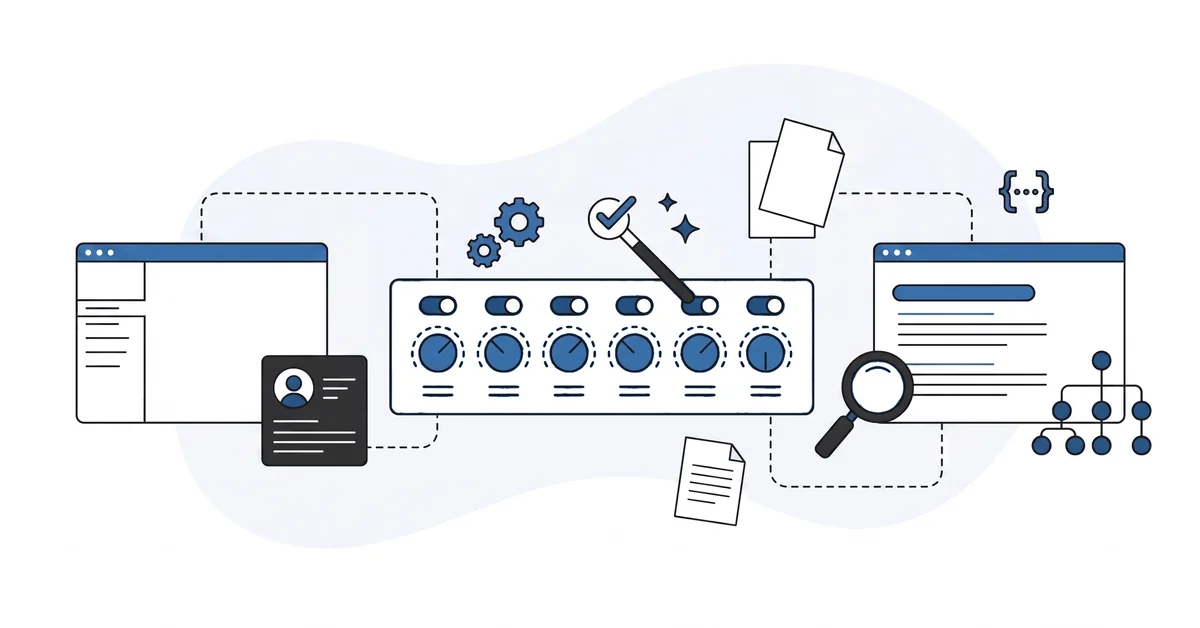
- Six settings matter. Title separator. Default meta-title pattern. Sitemap on. Person or Organization fields. Robots.txt allow rules. Article and FAQ structured-data toggles. Everything else is decoration in the first month.
- Four screens to skip in the first month. Redirections. 404 monitor. Image alt-text autofill. Advanced robots.txt rules. The wizard’s defaults are doing the bulk of the work.
You open wp-admin on a fresh WordPress install and search for the SEO settings panel. The Settings menu lists General, Writing, Reading, Discussion, Media, Permalinks, Privacy. None of them say "SEO." The Tools menu has Available Tools, Import, Export, Site Health, Export Personal Data. Still no SEO.
The reason is calm. WordPress core ships with no real SEO settings beyond the permalink format. The settings the engines actually read live inside an SEO plugin. The plugin draws its own panel under its own menu name.
Yoast adds a "Yoast SEO" menu. Rank Math adds a "Rank Math" menu. AIOSEO adds an "All in One SEO" menu. Three different labels for what is functionally the same toolkit.
This piece is the calm version of the question. Which plugin actually fits a beginner site. What the wizard sets up.
The six fields that matter. The four screens to skip in the first month. The two-minute check before you call the settings done.
Why is "WordPress SEO settings" not one screen?
WordPress core ships with no real SEO settings beyond the permalink format. That is intentional. WordPress is a publishing platform — SEO is a layer on top.
The settings the search and AI engines actually read are written by an SEO plugin into the page output. The plugin draws its own settings panel inside wp-admin. The panel labels are vendor-specific. Yoast calls a field SEO title.
Rank Math calls the same field a custom title pattern. AIOSEO calls it title format. The underlying field is the same. The label is not.
The first job is to figure out which plugin is in use. Open the Plugins screen. Scan for Yoast SEO, Rank Math SEO, All in One SEO, or AIOSEO.
If one is active, the SEO settings live in that plugin’s menu. If none is active, the site has no real SEO settings yet. Picking a plugin is the first decision.
The second job is to stop searching wp-admin for a "Tools > SEO" screen that does not exist. The screen the beginner is looking for is the SEO plugin’s settings panel.
Which SEO plugin should a beginner site actually run?
Three signals beat the vendor marketing.
The plugin is on the wordpress.org plugin directory and has shipped an update in the last six months. The directory listing is the public-record check. A plugin whose last update is from 2023 is a liability regardless of how many sites still install it.
The free tier covers FAQ and HowTo structured data plus a robots.txt editor. Rank Math Free covers both. Yoast Free covers FAQ and HowTo via Gutenberg blocks but has a virtual robots.txt editor that gets the job done.
AIOSEO Free does not cover either. FAQ and HowTo structured data sit behind Pro. The deeper walkthrough on plugin choice in general lives in the walkthrough on AI-evaluating WordPress plugins.
The plugin’s setup wizard finishes inside fifteen minutes without locking the site. The wizard is the gate. A wizard that takes 45 minutes and creates 12 mandatory upsell prompts is the wrong starting point.
Rank Math Free is the closest match for most small WordPress sites starting fresh in 2026. Yoast Free is the closest match for a site that already runs Yoast Premium and has no reason to migrate.
AIOSEO Free is workable as long as you also install WPCode. WPCode is a free header-and-footer code-snippet plugin that lets you paste FAQ structured-data blocks the AIOSEO free tier does not emit. The combination gets you the AEO floor without paying for AIOSEO Pro.
What does the setup wizard actually configure?
The setup wizard collects four pieces of information.
The site’s name and short description. These become the home page’s title and the Organization name in the structured-data block. The wizard asks for both in the first one or two screens.
Use the same name you use on Google Business Profile, on LinkedIn, and on every directory you have claimed. Consistency is the work.
The site’s owner. Person or company. With name, photo, and social profiles. The wizard writes these into the Person or Organization structured-data block on every page.
A small business uses Organization with a logo. A solo freelancer uses Person with a real photo. Both options ship with sameAs fields for LinkedIn, X, and other public profiles.
The site type. Blog, business, news, ecommerce. The choice tells the plugin which structured-data presets to emit by default.
The wizard usually offers a dropdown with the four options. Pick the closest match — the choice is reversible.
The default sitemap URL. Usually /sitemap.xml on Rank Math, /sitemap_index.xml on Yoast and AIOSEO. The wizard activates the sitemap by default.
The engines find it automatically. Add the URL to Google Search Console once the site is public.
Walking through the wizard once, slowly, sets up most of what the engines need. The hour the wizard saves on your fifth post is the hour you spend on the wizard now.
Which six settings actually matter for a small site?
Six.
Title separator. The dash, pipe, or arrow used between the post title and the site name in the browser tab. Set it once.
Forget it. The default in all three plugins is fine.
Default meta-title pattern for posts. The pattern the plugin uses when a post does not have a custom meta title set. The default is usually {title} {sep} {sitename} and that is correct. Confirm it once.
Sitemap on. The default in all three plugins. Open https://yoursite.com/sitemap.xml (or /sitemap_index.xml) in the browser and confirm a list of URLs renders. The engines fetch the sitemap on a schedule.
Person or Organization fields. Named in the wizard. The structured-data block on every page reads from these fields.
Confirm the photo or logo URL points to a real image. Confirm the social-profile URLs point to profiles you control.
Robots.txt allow rules. The plugin’s defaults allow Googlebot and most well-behaved crawlers. Some plugins ship with AI-crawler rules in the comments.
Check whether GPTBot, ClaudeBot, and PerplexityBot have explicit allow lines. No disallow line has the same practical effect as an allow.
Structured-data toggles. Article structured data on by default. FAQ and HowTo on for the pages where the visible content carries those patterns.
Hidden FAQ structured data with no matching visible Q&A on the page fails both the rich-result and the AI-extraction layers. Do not enable FAQ structured data for pages that do not carry FAQ content.
Six. Everything else in the panel is decoration in the first month.
How do you write a meta title and description that the engines and the reader both like?
A meta title is roughly 50-60 characters. A meta description is roughly 120-160 characters. Both should read like a sentence.
The first half of the meta title carries the focus keyword in plain English. The second half carries the brand. "WordPress SEO settings for beginners | Slobodan Dekanic" is the shape.
The pipe is the title separator. The keyword leads.
The meta description is one sentence that tells a person what they will read on the page. Not a list of keywords. Not a tagline. A sentence.
A working example: six WordPress SEO settings that matter on a beginner site, plus the four screens to skip in the first month. That reads like a sentence. It tells the reader what is on the page.
Avoid keyword cramming. Avoid all-caps. Avoid exclamation marks. Avoid the year stamp ("2026 guide") because the page is meant to last longer than the year.
The plugin’s snippet preview shows what the engines render in search results. Open it. Read the rendered title and description aloud.
If both read like real sentences, the meta is fine. If the title trails off into the middle of a phrase, shorten it. If the description reads like a brochure, rewrite it.
What can AI help with when you fill the settings out?
AI helps with the writing parts.
Paste the post body and the focus keyword into an AI chat. Ask for three meta-description options that read like a sentence and stay under 160 characters. The chat returns three drafts.
Pick the one closest to the voice of the post. Tighten by hand. The AI tool gets you to a usable starting line in two minutes.
Paste the home page text and ask for a one-sentence Organization description for the structured-data field. The chat returns a draft. Read it.
The owner brings the voice — the AI tool tightens the structure. Twenty seconds of editing turns the draft into the field.
Paste the post body and ask for five meta-title options under 60 characters that lead with the focus keyword. The chat returns five. The first one is rarely the best. The third or fourth is often closer.
AI fails on the live render. It cannot click through your wp-admin. It cannot send a test fetch from Googlebot or from the AI engines.
It cannot see whether the snippet preview matches the live result. The honest framing is the same one that holds across WordPress diagnostics. The AI tool accelerates the read — you keep the verdict.
Which settings should you leave alone the first month?
Four screens to skip.
Redirections. The plugin’s redirection module is powerful and easy to misuse. A redirect added in haste breaks more URLs than it fixes.
Learn the post-and-page editing workflow first. Visit Redirections only when you have a specific URL change to handle.
The 404 monitor. The report is interesting but does not change any settings on its own. Read the list once a month. Fix the broken inbound links by adding a redirection on a specific URL only when the report shows a real pattern.
Image alt-text autofill. Autofilled alts are weaker than thoughtful ones. Write the alt text by hand for the first few posts. The discipline you build in the first month carries every image you upload after.
Advanced robots.txt rules. The wizard’s defaults are correct for a new site. Revisit the file when you have a specific reason.
An AI engine you want to block. A section of the site you want to hide from search. A staging URL that leaked into the search index.
Four screens to skip. The settings you walked through in the wizard are doing the bulk of the work. The rest is deferred polish for the second or third month.
Which SEO setting should you check first?
Open the SEO plugin’s general settings panel.
Confirm two things. The site name and short description match what you want a search snippet to show. The owner type (person or company) is set, with the name and photo or logo populated.
Both fields feed the structured-data block on every page. Getting them wrong propagates everywhere. A wrong site name shows up in fifty page titles. A missing owner photo shows up in fifty Person or Organization records.
Five minutes once. Read the values aloud. If both fields match what the rest of the site says about itself, the plugin is doing its job. The home page hero.
The footer. The About page. The Google Business Profile. The four references should agree.
The rest of the settings can land over the first weekend after the site goes live. The two-field check is the smallest discipline that closes the largest entity-record gap on a fresh small WordPress site. The longer-form companion lives at the local-business WordPress essentials walkthrough. It covers the same Person and Organization fields with more context for service businesses with a physical location.
Other questions worth answering
How can you validate that your structured data renders correctly after install?
Google’s Rich Results Test reports whether your page emits valid Article, FAQ, or Organization markup. Paste the URL and read the verdict. Run the Schema Markup Validator next for stricter schema.org rules. Both tools catch most issues inside two minutes per page.
What happens to your existing focus keywords when migrating from Yoast to Rank Math?
Rank Math’s setup imports Yoast post meta, focus keywords, and titles in the same pass. Schema markup and redirections do not transfer. The Yoast Block Converter in Status and Tools handles FAQ and HowTo blocks as a separate step. Submit the new sitemap URL to Google Search Console once the migration finishes.
When should you submit a new sitemap URL to Google Search Console?
Google Search Console wants the new sitemap URL right after the wizard finishes. The tool verifies the file and starts fetching pages on its schedule. Re-submit after migrating between plugins because the file path usually changes. Rank Math defaults to /sitemap.xml while Yoast and AIOSEO default to /sitemap_index.xml.
Where do GPTBot allow rules belong when Rank Math omits them?
Add GPTBot, ClaudeBot, and PerplexityBot allow lines inside the robots.txt editor. Rank Math Free ships one. AIOSEO Free does not, so install WPCode and paste the allow rules into a header snippet. No disallow line for a crawler has the same practical effect as an explicit allow.
Does the focus-keyword field still earn citations from ChatGPT and Perplexity?
Not directly. The focus-keyword field mostly helps the plugin score on-page readability. The 2026 evidence on focus keywords as an AEO signal stays weak. Visible content, entity-graph clarity, and structured data carry the bulk of the weight on ChatGPT and Perplexity citations.
Which SEO setting should you tackle first?
Have an SEO plugin installed but the setup wizard was rushed? You can contact me here. Tell me the site URL and the plugin name.
I will check the structured-data block, name the one wizard-field gap worth fixing first, and write you a one-paragraph note. There is no pitch, no upsell, and the conversation is free.