Table of Contents
TL;DR
- WordPress is a free open-source program that runs on a web server and turns a database of words and images into web pages. The core program is small. Plugins add features. Themes control how the pages look.
- WordPress.com and WordPress.org are two different products that share a name. WordPress.org is the free software you install on a host you pick. WordPress.com is a managed hosted service operated by Automattic with tier-restricted access. Most "WordPress tutorial" articles mean WordPress.org.
- Four reasons small businesses still pick WordPress in 2026 hold up. Lower five-year cost than SaaS platforms once the business outgrows the entry tier. Ownership of the database, the content, the plugins, and the theme. The largest plugin directory in any platform. Search-visibility control over URL structure, structured-data markup, and on-page elements.
- The AI era rarely makes or breaks the platform decision. WordPress sites with a Rank Math or AIOSEO plugin emit clean structured data by default, but the writing and the structured data discipline matter more than the platform.
- Three trade-offs the brochures skip. WordPress needs a few hours of maintenance a month. Plugin choice is the largest contributor to security and performance outcomes. Theme choice carries inertia for years.
A small business owner I helped last winter had four browser tabs open on a Tuesday afternoon. WordPress.com on the first. Squarespace on the second.
Shopify on the third. A Reddit thread titled "is WordPress still worth it in 2026" on the fourth.
She asked me which tab to close first. The honest answer was that the question on the Reddit thread was the wrong question. The right question was a different one.
What does the business need the website to do? And how much maintenance is the owner willing to do every month, for the next five years?
This piece is the answer to "what is WordPress." The audience is the small-business owner who has heard the name a hundred times. Has never installed it. Is now trying to decide whether the platform fits the next five years.
The answer is shorter than most explainers make it. The answer is also more specific.
WordPress is a free open-source program. The program runs on a web server. The program turns a database of words and images into web pages.
The catch is that "the program" alone is rarely what people mean when they say WordPress. They mean the program plus a host plus a theme plus the plugins they have installed. The combination is what makes the platform powerful and what makes the question harder than the brochures admit.
What does WordPress actually do?
WordPress is a content management system. The phrase is technical. The plain version is shorter.
The site stores its content in a database. Each blog post is a row in a table. Each page is a row in a table.
Each image is a row in a table. Editing a heading on the about page changes one row in one table.
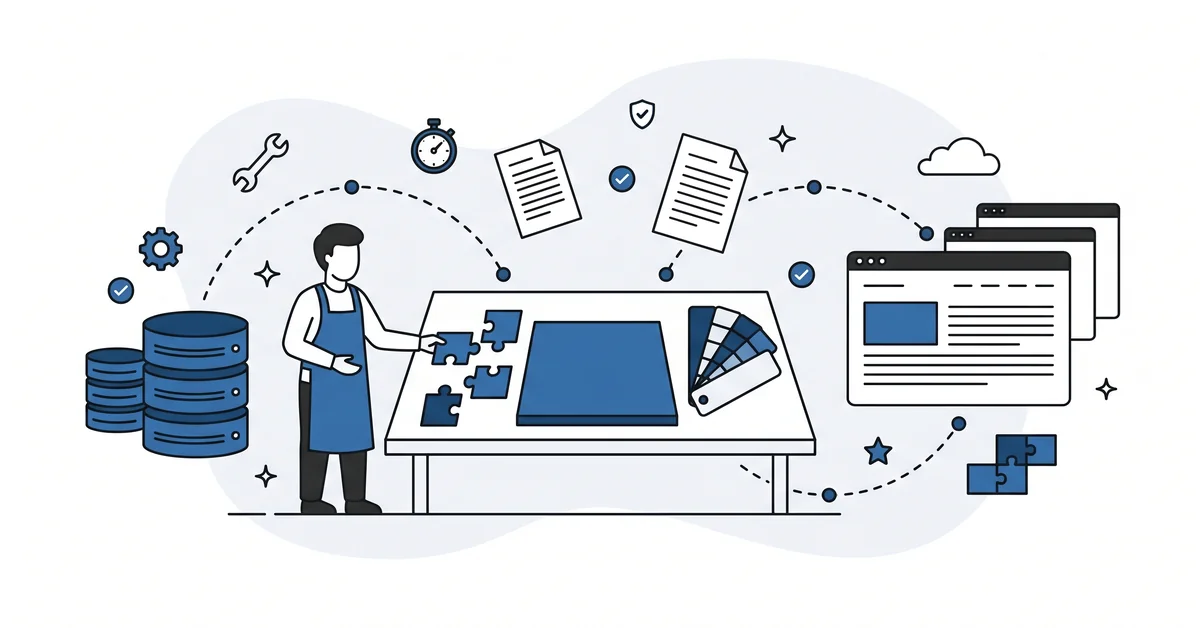
A theme decides how the page looks. Colors, fonts, layout, the hero image at the top. The theme reads the database row and turns it into a finished web page.
A plugin adds a feature. A contact form. A spam filter.
An email signup. A structured-data generator that emits structured data the search engines and the answer engines both read. A plugin can add anything from a small button to an entire ecommerce store.
The combination — the program plus a database plus a theme plus plugins plus a host — is the working website. Every page on the site is generated from the same database. Changing one row changes how the site behaves on every page that uses that row.
The flexibility comes from that one design choice. The complexity comes from the same design choice. The trade-off is real and worth understanding before the install.
WordPress.com versus WordPress.org — which one are people talking about?
Two different products that share a name. The naming is the source of half the confusion in beginner WordPress content.
WordPress.org is the free open-source software. The software is downloadable. The user installs it on a web host of their choice. The user controls every plugin, every theme, every line of configuration.
The wordpress-source community runs the directory of plugins and themes. There is no monthly fee from WordPress itself. The costs are the host, the optional premium plugins, and the maintenance time.
WordPress.com is a managed hosted service operated by Automattic. The user signs up for an account at wordpress.com, picks a plan, and gets a slice of WordPress on Automattic’s infrastructure. The free and lower-tier plans restrict plugin installation, custom themes, and several integrations the self-hosted version supports out of the box.
The Business plan and above on WordPress.com lifts most of those restrictions. Below the Business plan, the platform behaves more like Squarespace than like self-hosted WordPress.
When a "how to install WordPress" tutorial does not specify, it usually means WordPress.org. When a "WordPress for free" article emphasizes the free tier and the easy signup, it usually means WordPress.com. The difference matters before the first plugin search.
For most small businesses that want a contact form, an SEO plugin, or an email marketing integration, WordPress.org is the working answer. WordPress.com fits the small business that wants a brochure site, no plugin choices, and a single monthly bill.
How does WordPress compare to Squarespace, Shopify, or Wix in 2026?
Four hosted-platform alternatives sit on the small-business shortlist next to WordPress. Each one solves a different shape of the same problem.
Squarespace and Wix lead on visual ease. A weekend brochure site is faster on either of them than on WordPress, especially for an owner who has never seen a database. Both lock the site into the platform’s hosting and the platform’s theme system. Migrating off either platform later means rebuilding the site somewhere else.
Shopify leads on ecommerce. The price scales with the sales volume rather than with the site complexity. The storefront is locked to Shopify’s rendering.
Add-on apps fill specific gaps. The app store is smaller than the WordPress plugin directory.
Webflow leads on design control for marketing sites. The drag-and-drop builder produces clean code. The platform fee runs higher than WordPress hosting at most tiers. Webflow attracts the small business with a designer on staff or on retainer.
The honest comparison is between maintenance load and lock-in cost. The hosted platforms reduce the maintenance load. They raise the lock-in cost.
WordPress raises the maintenance load. It lowers the lock-in cost.
Why do small businesses still pick WordPress when newer platforms exist?
Four reasons hold up in 2026.
Cost over five years. The WordPress fee structure is hosting plus optional premium plugins. The SaaS platform fee structure is a recurring tier price that scales with features and traffic. The five-year total tilts toward WordPress once the business outgrows the entry tier on whichever SaaS the comparison runs against.
Ownership. The database, the content, the plugins, and the theme files are portable. The site can move from one host to another in an afternoon.
SaaS sites cannot move at all without a rebuild. Ownership is invisible until the day the platform raises prices, drops a feature, or shuts down.
Plugin selection. The wordpress.org directory carries more than fifty thousand plugins covering nearly every small-business niche need. The SaaS app stores are smaller. The plugin a small business needs in year three is more likely to exist on WordPress than on the alternatives.
Search-visibility control. The user owns the URL structure, the structured-data markup, the on-page elements, and the page-loading behavior. The answer engines and the search engines both read those signals. The SaaS platforms vary widely in how much of that control they expose to the user — WordPress exposes all of it.
The four reasons compound. Each one alone is not decisive. The four together explain why a free fifteen-year-old open-source platform still wins small-business decisions against newer, slicker hosted alternatives.
What does the AI era change about the WordPress decision?
Three quiet shifts. None of them rewrites the answer. All three sharpen the framing.
The structured-data markup that the AI engines extract during retrieval lives in the page output. WordPress sites with a search-and-AEO plugin (Rank Math, AIOSEO, Yoast) emit clean structured data by default. SaaS platforms vary in how much structured data control they expose.
The structured data discipline a small-business owner can run on WordPress is wider. The discipline available on a hosted platform depends on the platform.
The visible content that the AI engines actually quote is what the writer types into the editor. Both WordPress and SaaS surfaces support good writing equally. The platform decision rarely turns on writing capability.
The AI tooling itself is platform-agnostic. A chat that drafts FAQ entries, audits a privacy policy, or generates the meta description for a service page works the same on any platform. The AI workflow does not pick the platform — the maintenance and ownership trade-off does.
The honest framing is that the AI era rarely makes or breaks a WordPress-versus-SaaS decision. The writing and the structured data discipline matter more than the platform name on the dashboard.
What should you know before you commit to WordPress?
Four trade-offs the brochures rarely surface.
The site needs maintenance. A few hours a month on average. Updates, backups, an occasional plugin replacement when the original goes quiet.
The number is not large. The number is not zero. A small business that will not invest two hours a month is better served by a hosted platform.
The plugin choice carries weight. Plugins are the single largest contributor to security, performance, and reliability outcomes. The plugin install list is more durable than the theme. A careful plugin discipline matters more than the choice of an SEO plugin or the choice of a theme.
The theme choice carries inertia. A modern theme.json configuration ages better than a classic theme with a custom stylesheet from a developer who has gone quiet. The classic-vs-block-theme decision has clearer guidance in 2026 than it had three years ago, but the inertia is real either way.
The hosting choice is one of three performance layers. The host controls server response time and CDN delivery. The theme and plugin weight controls front-end performance.
The image and script discipline controls the rest. Buying a more expensive host to fix a slow site is the most common WordPress misdiagnosis. The walkthrough on choosing cheap WordPress hosting covers the host-layer decision honestly.
What can go wrong if you pick WordPress for the wrong reason?
Three failure modes recur in small-business sites.
Picking WordPress because a friend recommended it, then never investing the few hours of monthly maintenance the platform expects. The site drifts toward an out-of-date plugin set, a slow performance layer, and an admin login that has not been tested in eight months. The site that worked on day thirty does not work on day three hundred.
Picking WordPress because of a flashy demo theme. The demo runs on a beefy demo server with no real traffic and no real plugins. The cheapest hosting tier the small business buys turns the demo into a slow, half-broken cousin. The owner blames WordPress — the cause is the host-and-theme mismatch.
Picking WordPress.com when WordPress.org was the better fit (or the reverse) because the marketing pages do not surface the difference clearly. The owner builds a year of content on WordPress.com. Then the owner discovers that the plugin needed for the email marketing integration requires upgrading to the Business plan.
Or the owner installs WordPress.org and never finds the time to set up the backups. A hosting incident a year in then takes the content down.
Each failure mode is a year-of-friction outcome. Each is avoidable with fifteen minutes of pre-pick reading.
Which task should come first if WordPress is your pick?
A small first list, in order.
Pick the .org-versus-.com decision first. Almost every small business that wants a contact form, an SEO plugin, or an email marketing integration falls on the .org side. The choice takes ten minutes. The wrong choice takes a year to undo.
Pick a host whose Acceptable Use Policy is readable in plain English. Renewal price stated, plugin restrictions stated, backup retention stated. The host’s marketing page is not the contract — the AUP is. Twenty minutes per host on the shortlist.
Install WordPress through the host’s installer. Most reputable hosts have a one-click installer that handles the database setup, the admin account, and the SSL certificate. Five minutes.
Run the post-install checklist. The five settings (permalinks, discussion, reading, privacy, general) take about ten minutes. The four security pieces (admin password, two-factor, login limits, auto-updates) take about twenty.
The three day-one plugins (backup, security, search-and-AEO) take about fifteen. The full first ninety minutes lives in the post-install task list.
Most year-one mistakes happen in the first hour. A deliberate first hour saves the rest of the year.
Other questions worth answering
How much extra bandwidth do answer-engine crawlers add to a shared hosting account?
Answer-engine crawlers add roughly 5 to 15 percent bandwidth load on average. The number is not yet a hosting pricing variable. Shared-hosting accounts feel the load more than managed tiers. The honest answer is that the load is real, but rarely the trigger to upgrade hosts.
When does a child theme stop being overkill and start earning its keep?
The threshold is when the active theme gets customizations the next update would overwrite. The child layer exists to protect those edits when the parent ships a new version. For a stock theme used as-is, the child layer adds files nobody touches. For a theme with three CSS overrides and two template edits, the child layer earns its place.
How does the supply-chain risk in a trusted plugin’s update channel affect daily site routine?
It shifts the routine from brand trust to update vigilance. The 2024-2025 supply-chain breaches showed even trusted vendors ship compromised updates. The wordpress.org plugin directory reviews new submissions, not later updates. Track WPScan and Patchstack for fresh CVE entries against each installed slug.
What’s the safer move when an installed plugin stops releasing updates?
Two checks then a swap. Update silence is a leading indicator of abandonment. Read the support thread for author replies in recent months and search WPScan and Patchstack for any logged vulnerability against the slug. If a replacement covers the same need, install it and uninstall the original.
How much vendor lock-in does an Elementor or Divi build add over a stock block theme?
More than a stock block theme costs at migration. Page builders like Elementor, Divi, Bricks, and Oxygen store layouts in their own shortcode format. Switching off the builder leaves a site of unreadable markers, while a stock block theme keeps content in standard markup the editor reads natively. The lock-in is the price you pay for the visual ease.
Which task belongs at the top of your list?
Wondering whether WordPress is the right platform for your small business? You can contact me here. Tell me what the business does, what the website needs to do, and how many hours a month you can invest in maintenance.
I will tell you whether WordPress fits, which version (.org or .com), and what the next concrete step looks like. There is no pitch, no upsell, and the conversation is free.